
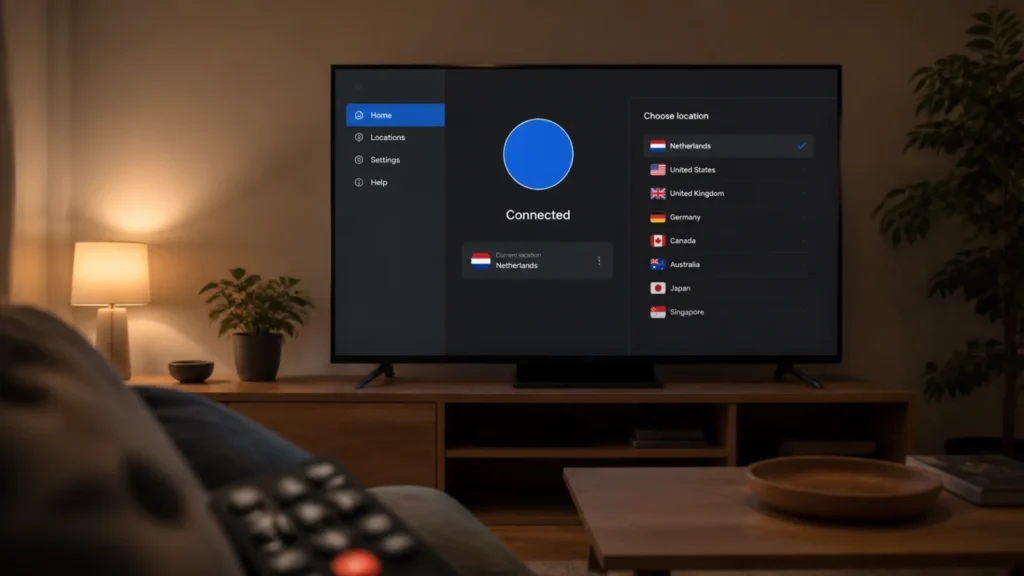
best VPN for streaming: quick answer
Every "best VPN for streaming" list has the same structural problem: it tells you which servers worked on the day it was written. Streaming platforms actively detect and block VPN traffic, working servers rotate constantly, and a table of green ticks is out of date within weeks.
So this list ranks something more durable: how much effort it takes when something doesn't work. That's determined by architecture and app design, not by which IP range got flagged last Tuesday — and it's the difference between a VPN you use for streaming and one you give up on.
One thing to be straight about before anything else: no provider on this page guarantees access to any specific service, and any page telling you otherwise is describing the past.
Quick comparison
| NordVPN | Surfshark | Proton VPN | |
|---|---|---|---|
| Best for | Least effort overall | Streaming on many devices | Privacy first, streaming second |
| Our rating | 4.7 / 5 | 4.5 / 5 | 4.6 / 5 |
| Automatic streaming handling | SmartPlay | No | No |
| Dedicated TV apps | Android TV, Apple TV, Fire TV | Fire TV, Apple TV | Limited |
| Devices | 10 | Unlimited | 10 |
| Server choice for retrying | 7,400+ / 118 countries | 4,500+ / 100 | 20,000+ / 140+ |
| Manual server-hunting needed | Rarely | Sometimes | Often |
| Router support | Yes | Yes | Yes |
NordVPN → · Surfshark → · Proton VPN →
Compare the provider options
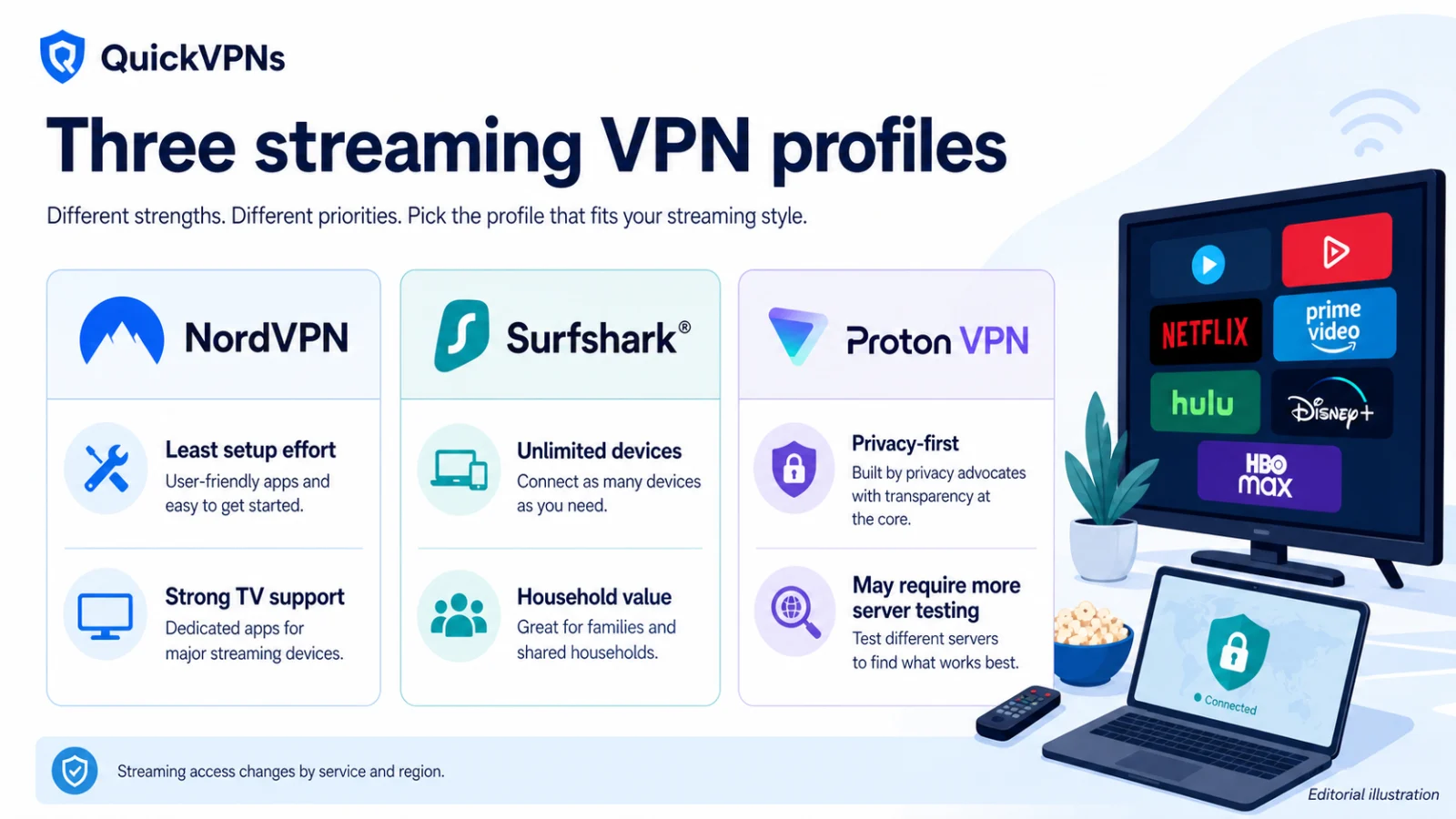
Use the current plan pages for live terms; the trade-offs below are the stable decision points.
NordVPN
- Strong support for restrictive networks
- Broad server and TV-device coverage
- Ten simultaneous device connections
Surfshark
- Unlimited simultaneous device connections
- Strong value for households
- Some features differ by platform
Proton VPN
- Open-source apps and published privacy evidence
- Privacy-focused free and paid options
- Advanced features depend on the plan
Read this before you buy a VPN for streaming
Three things that no amount of provider marketing changes.
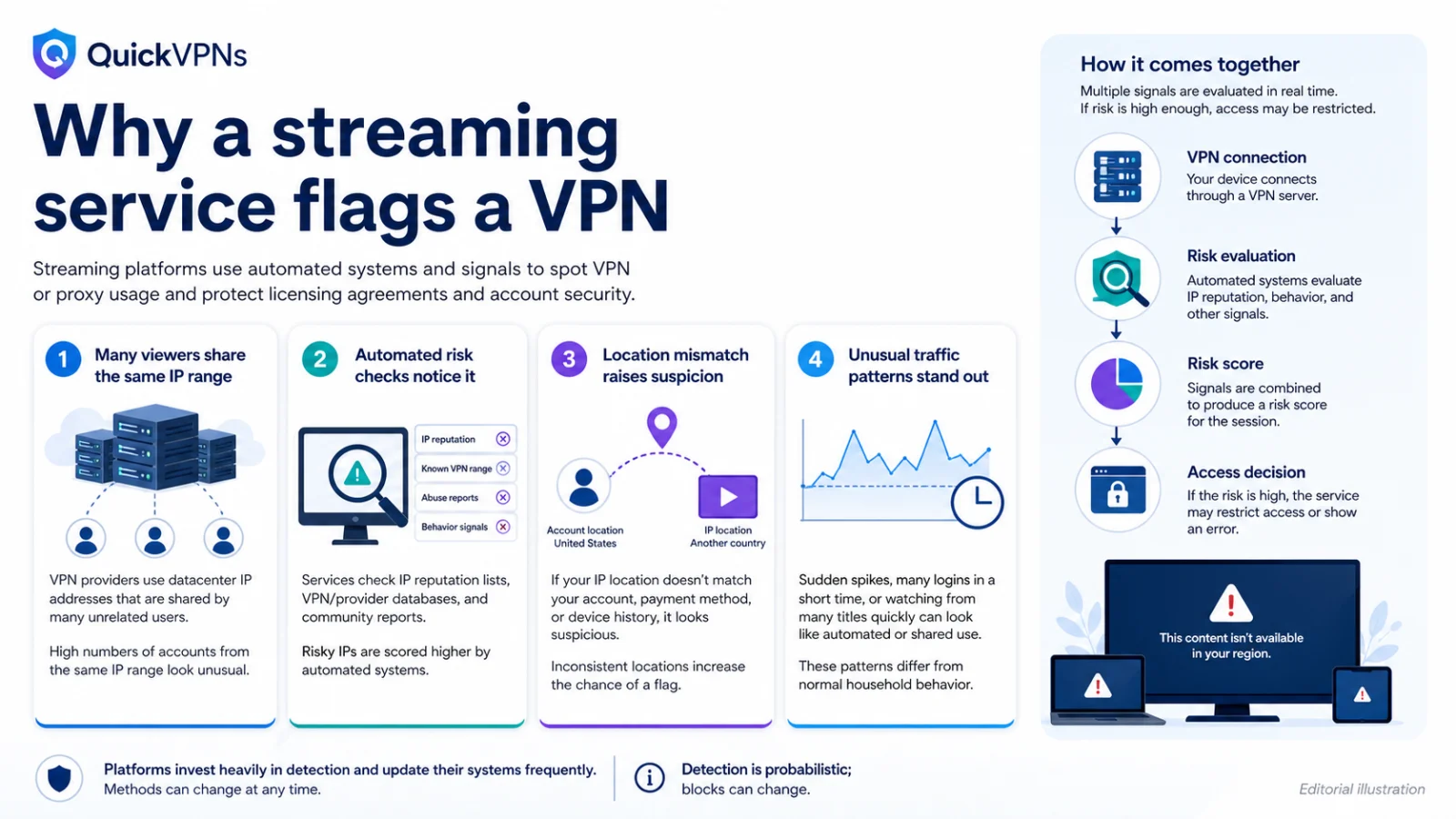
Streaming platforms actively block VPNs, and they're good at it. They maintain lists of datacentre IP ranges and flag traffic from them. Providers rotate addresses, platforms re-flag them. This is an ongoing contest with no permanent winner, which is why nobody can promise you anything.
Using a VPN to access a region you're not in generally breaches the platform's terms of service. Accessing your own subscription while travelling is the far more defensible case, and it's the one this guide is built around. Check the terms of the services you pay for — the consequences are usually access being blocked rather than anything more serious, but you should decide with the facts.
A VPN cannot create licensing rights. If a title isn't licensed in a region, no configuration makes it appear.
Given all that, the sensible question isn't "which VPN works with Netflix." It's "which VPN wastes the least of my evening when it doesn't."
How we evaluated
Four criteria, all chosen because they stay true when server IPs change.
- Automatic handling. Does the provider route streaming traffic without you selecting anything?
- Device coverage. Does it run natively on the device you actually watch on — a TV, a stick, a console — or does it require a router setup?
- Retry surface. When a server is blocked, how many alternatives do you have and how quickly can you switch?
- Recovery behaviour. How well does the connection survive a mid-stream drop?
We deliberately did not publish a platform-by-platform grid. It would be accurate for about a fortnight, and presenting it as durable guidance would be dishonest.
1. NordVPN — least effort, best on TV devices
4.7 / 5 · SmartPlay · apps for Android TV, Apple TV and Fire TV Stick · 10 devices
NordVPN wins because it removes the most decisions.
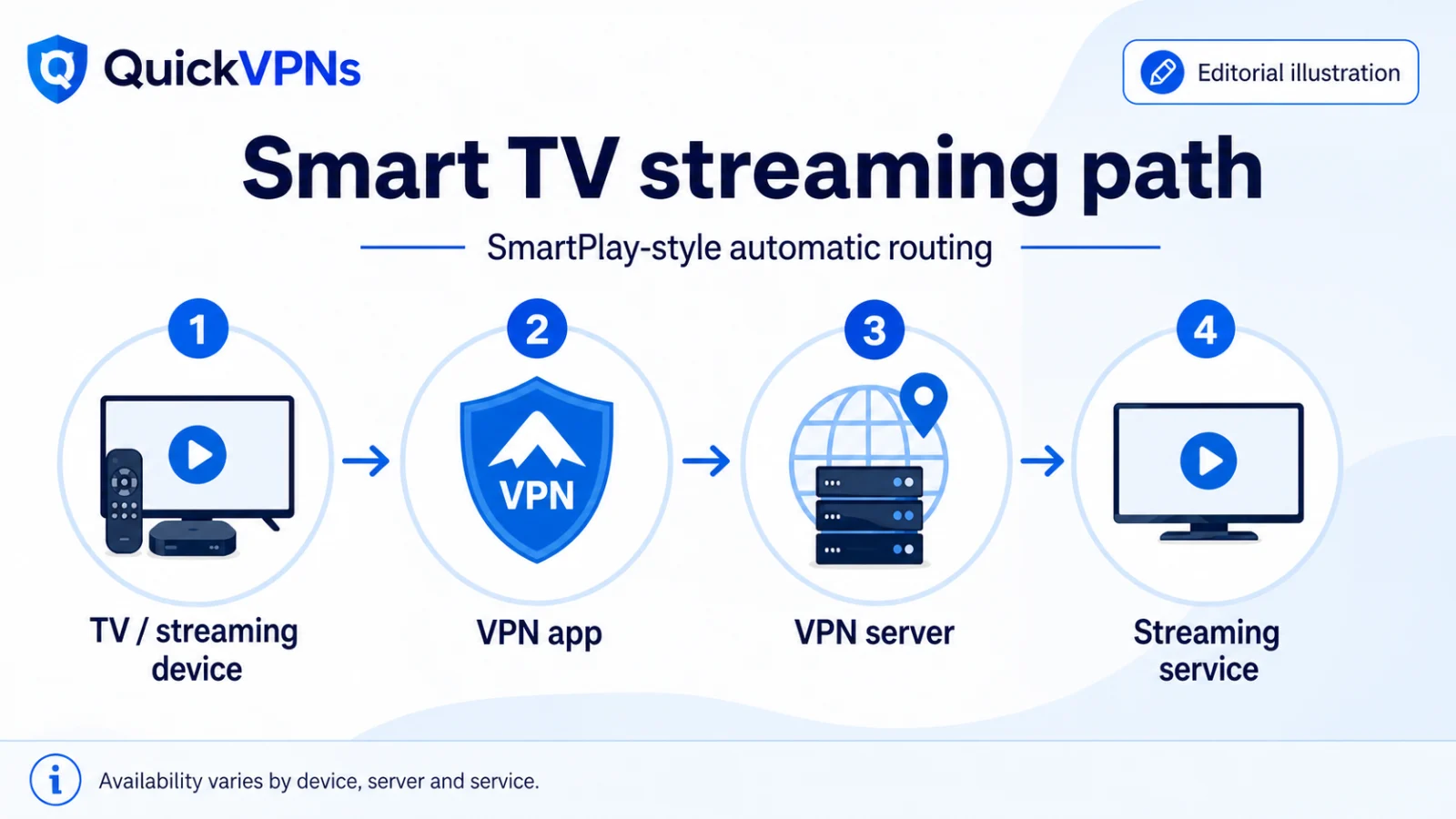
SmartPlay handles streaming traffic automatically — you don't select a "streaming server," and there's no separate mode to remember. On a phone or laptop that's convenient. On a TV device, where typing into an on-screen keyboard with a remote is genuinely miserable, it's the difference between a five-minute setup and abandoning the idea.
The bigger advantage is native TV apps. NordVPN has dedicated apps for Android TV, Apple TV and Fire TV Stick — three platforms, more than either competitor. That matters because the alternative is configuring a VPN-capable router, which is a project rather than a task.
Underneath, 7,400+ servers across 118 countries gives a wide retry surface when one location is flagged, and NordLynx keeps throughput comfortably above what 4K needs.
Pros
- SmartPlay means no server selection and no separate mode
- Three native TV platforms — the widest coverage available
- Large, densely placed network for retrying
- Fast enough for 4K without thinking about it
Cons
- 10 devices gets tight once TVs and sticks join the count
- Most expensive of the three at renewal
- Still cannot guarantee any specific platform — nothing can
Best for: anyone who watches on a TV device, anyone who doesn't want to troubleshoot, and travellers who want their home subscriptions to work from a hotel.
2. Surfshark — best when the whole household is streaming
4.5 / 5 · unlimited devices · Fire TV and Apple TV apps · Everlink
Surfshark's case for streaming is indirect but strong: unlimited simultaneous devices.
Think about how streaming actually happens in a household. A TV in the living room, a stick in the bedroom, two phones, a tablet, a laptop. With a 10-device cap you're rationing — deciding which devices get the VPN. Surfshark removes the decision entirely, and for a family that's worth more than any streaming-specific feature.
It also has Everlink, which restores dropped tunnels instantly rather than fully renegotiating. Mid-stream, that's the difference between a brief buffer and a stopped playback with a re-authentication prompt.
The honest limitation: there's no SmartPlay equivalent. When a server is blocked you'll be switching manually until you find one that isn't. Surfshark's network is also the smallest here at 4,500+ servers in 100 countries, so the retry surface is narrower.
Pros
- Unlimited devices — no rationing across a household
- Everlink handles mid-stream drops gracefully
- Fire TV and Apple TV apps available
- Cheapest of the three at signup and renewal
Cons
- No automatic streaming handling — manual server-hunting when blocked
- Smallest network, so fewer alternatives to try
- No Android TV app
Best for: families and shared households where several people stream at once, and anyone covering more devices than a 10-connection cap allows.
3. Proton VPN — pick it for privacy, accept the streaming trade
4.6 / 5 · 20,000+ servers in 140+ countries · limited TV support
Proton VPN is the weakest of the three for streaming, and saying otherwise would undermine the rest of this site.
There's no SmartPlay equivalent, TV-device support is thinner than either competitor's, and in practice it requires the most manual server-hunting. Streaming isn't supported at all on the free plan.
What it does bring is the largest retry surface of any provider here — 20,000+ servers across 140+ countries. If you're willing to work through options, you have more of them than anywhere else. VPN Accelerator also helps when you're connecting a long way from your exit node, which is exactly the situation when watching home content from abroad.
The honest positioning: choose Proton VPN because its open-source apps and five consecutive independent audits make it the most verifiable option, and treat streaming as a secondary benefit you'll occasionally have to work for. Don't choose it because of streaming.
Pros
- Largest network here, so the most alternatives when a server is blocked
- VPN Accelerator helps on long-distance connections
- Strongest privacy credentials of the three
- Free plan lets you test the apps before paying (streaming excluded)
Cons
- Weakest streaming consistency of the three
- Most manual server-hunting required
- Limited TV-device support
- Streaming not available on the free tier
Best for: people whose primary reason for a VPN is privacy, with streaming as an occasional bonus.
When streaming doesn't work: a troubleshooting order
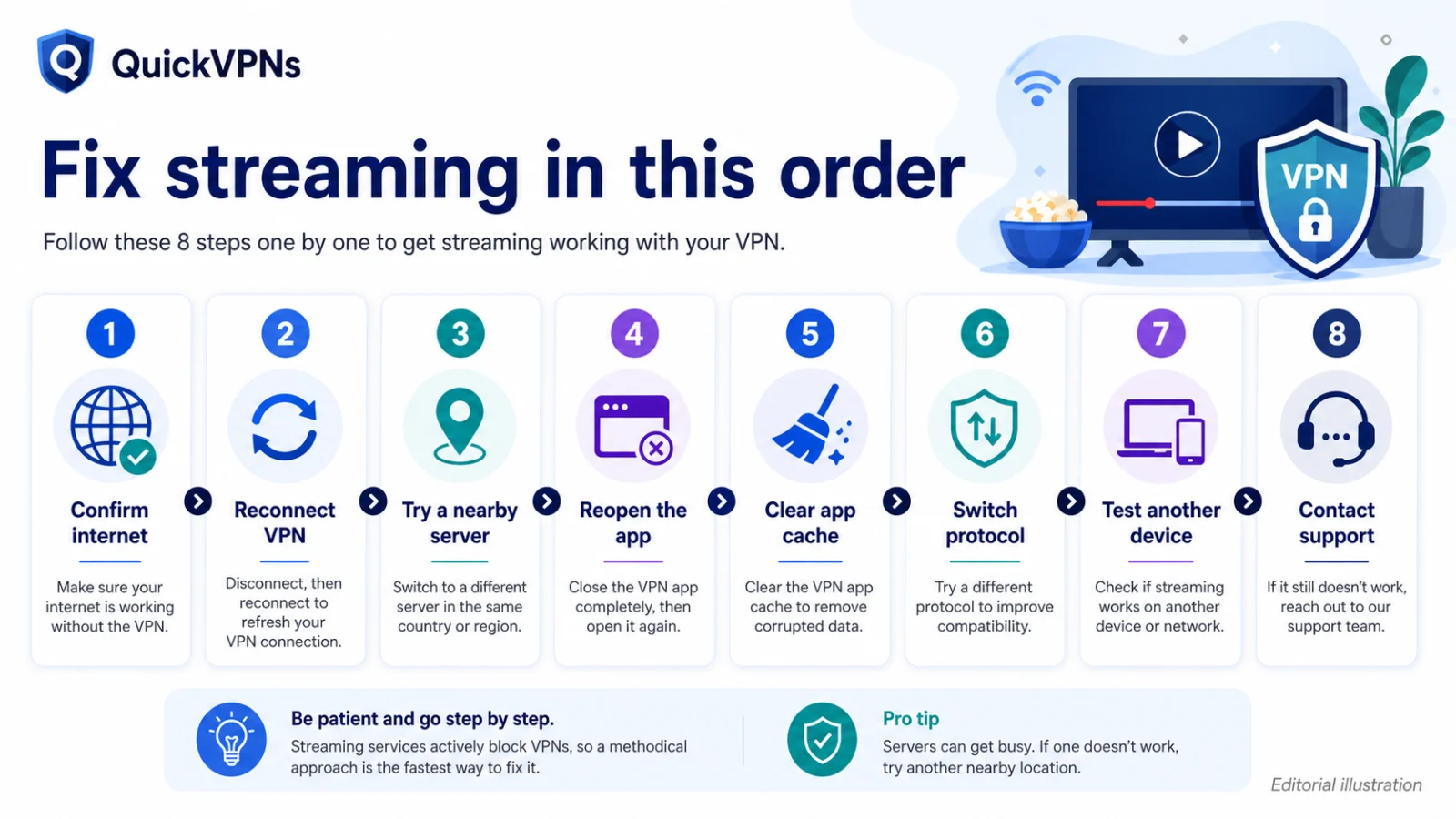
This section will outlast every server recommendation on the page. Work down the list.
- Switch servers within the same country. The most common fix by a wide margin. One IP range is flagged; the next isn't. Try three or four before concluding anything.
- Clear cookies and site data for the platform, then reload. Services cache your previous region, and a stale cookie will override your new IP.
- Check for DNS leaks. If your DNS still resolves through your home ISP, the platform sees a mismatch between your IP and your resolver — an obvious signal. Run a DNS leak test while connected.
- Disable IPv6 on your device or confirm your provider blocks it. IPv6 traffic escaping the tunnel is a common cause of region mismatch.
- Try the browser instead of the app. Mobile apps often use different detection and sometimes read device location services rather than IP.
- Turn off split tunnelling for that app. It's easy to have excluded the streaming app months ago and forgotten.
- On a TV device, check whether the VPN is actually running on the device rather than on your router or another machine. This catches more people than it should.
- Ask support for a working server. Live chat teams often know which locations are currently clear — it's the fastest route and almost nobody tries it.
If none of that works, the platform has likely flagged the whole provider range for that service temporarily. Wait, or use your home connection.
Which should you choose?
| Your situation | Pick |
|---|---|
| You watch on a TV, stick or console | NordVPN — three native TV apps |
| Several people streaming at once | Surfshark — unlimited devices |
| You want zero troubleshooting | NordVPN — SmartPlay |
| Privacy first, streaming second | Proton VPN |
| Tightest budget | Surfshark |
| Watching your own subscriptions while travelling | NordVPN — see best VPN for travel |
Final thoughts
The honest summary: a VPN is a reasonable tool for watching content you already pay for when you're away from home, and an unreliable one for anything else. Providers can't control platform detection, and the ones that promise they can are selling.
NordVPN is the pick if you want it to just work, especially on a TV. Surfshark if a household is streaming at once. Proton VPN if privacy is the real reason and streaming is a bonus.
All three offer a 30-day money-back guarantee. Test your actual platforms in week one — that's the only test that matters, and it's the only one a review can't do for you.
More: Best VPN services · Best VPN for travel
How we evaluated best VPN for streaming
QuickVPNs compared the documented features that change the reader’s outcome, checked current Provider Hub sources, removed volatile price claims, and stated limitations alongside strengths. No provider can buy a ranking.
| Criterion | What we checked |
|---|---|
| Evidence | Current official documentation and independent assurance material where available |
| Real-world fit | Devices, network conditions, setup effort, and meaningful limitations |
| Value | Coverage and durable features, not a temporary introductory price |
best VPN for streaming FAQ
What is the best VPN for streaming in 2026?
NordVPN, on the basis of effort rather than guaranteed results. SmartPlay removes server selection and it has native apps for three TV platforms — more than any competitor. Surfshark is better if several people stream at once, because of unlimited devices.
Do VPNs still work with streaming services?
Often, but never guaranteed. Platforms actively detect and block VPN traffic, and which servers work changes constantly. Switching to a different server in the same country resolves most failures. Any provider promising reliable access to a named service is overstating what it can control.
Is it legal to use a VPN for streaming?
Using a VPN is legal in most countries. Using one to access a region you're not in generally breaches the platform's terms of service, and the usual consequence is being blocked. Accessing subscriptions you already pay for while travelling is the more defensible case — check your provider's terms.
Which VPN works best on a Fire TV Stick?
NordVPN, which has a dedicated Fire TV Stick app alongside Android TV and Apple TV. Surfshark also offers Fire TV and Apple TV apps. Proton VPN's TV support is more limited, so it typically needs a router setup.
Why does my VPN suddenly stop working with a streaming service?
Almost always because the platform flagged the IP range your server uses. Switch to a different server in the same country — that fixes it most of the time. If not, clear the site's cookies, check for DNS leaks, and confirm IPv6 isn't bypassing the tunnel.
Continue with the VPN Guides hub
Browse all VPN Guides, visit the related topic guide, or compare the best VPN services.