
The short answer
best VPN for iPhone: choose by the failure you need to prevent
NordVPN is the best all-round VPN for iPhone for most people because its iOS app balances straightforward auto-connect, connection protection and Apple TV support. Surfshark is the better value when one account must cover many Apple devices. Proton VPN is the strongest privacy-first alternative, with open-source apps and an always-on approach.
The best iPhone VPN is not the app with the longest feature list. It is the one that reconnects after Wi-Fi changes, protects traffic when the tunnel fails, and stays simple enough that you leave it enabled.
iOS controls networking more tightly than desktop operating systems. That makes implementation details—auto-connect rules, on-demand behavior and how the app handles a dropped tunnel—more useful than generic claims about military-grade encryption.
We compare three established choices using their current iOS support documentation, their Apple TV options and the privacy evidence behind the service. We do not treat an App Store star rating as a security audit.
Decision map
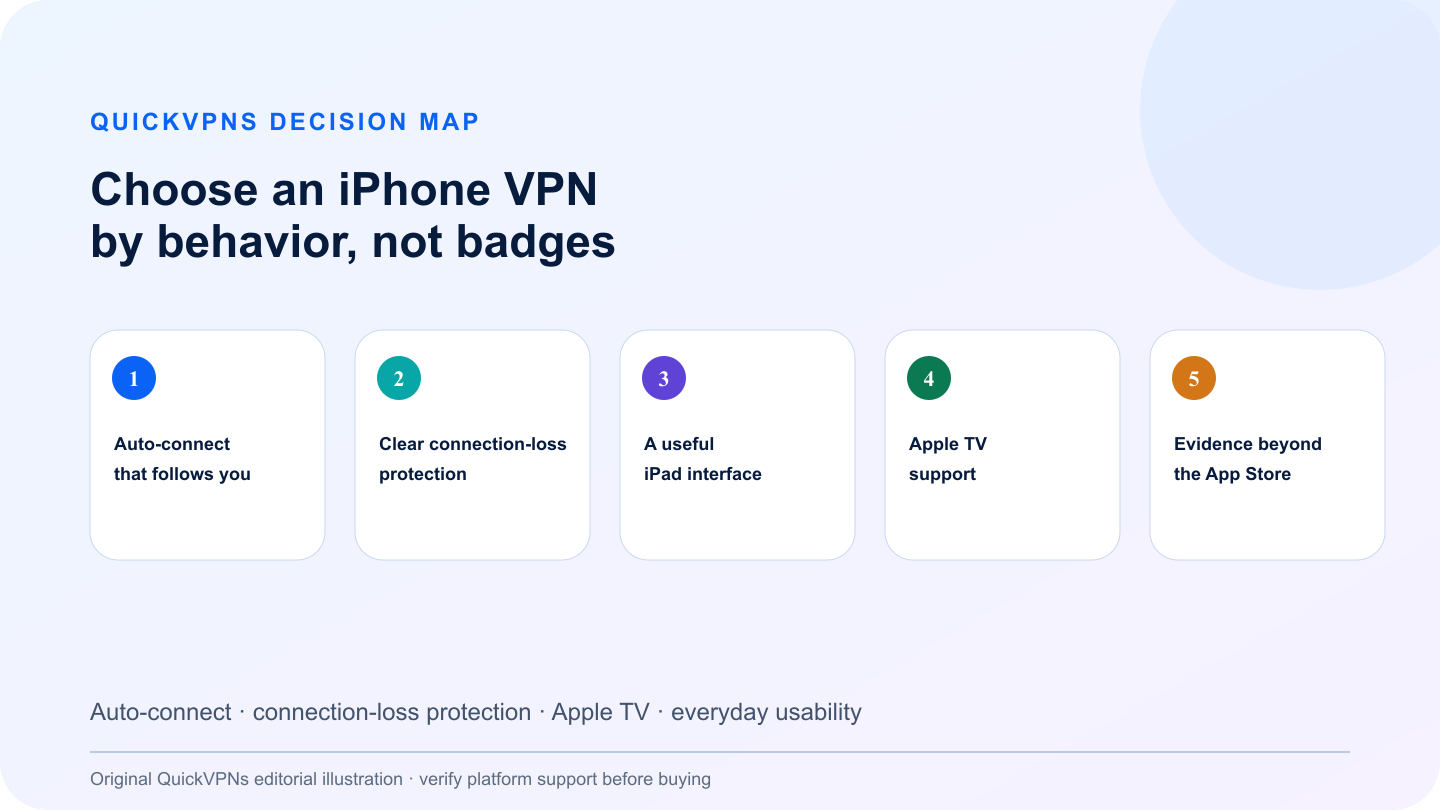
Choose an iPhone VPN by behavior, not badges
Auto-connect · connection-loss protection · Apple TV · everyday usability
What matters
How to choose the best VPN for iPhone
Five criteria that change real-world behavior—not decorative feature count.
- Auto-connect that follows you
Look for a rule that reconnects on untrusted Wi-Fi and after moving between Wi-Fi and cellular data.
- Clear connection-loss protection
The app should explain what happens when the VPN drops and whether traffic is blocked during recovery.
- A useful iPad interface
Landscape layout, split-screen behavior and predictable settings matter more on a tablet than a stretched phone screen.
- Apple TV support
A native tvOS app is the cleanest option. Router or Smart DNS workarounds add setup and may not protect all traffic.
- Evidence beyond the App Store
Prefer documented privacy controls, maintained apps and independent verification of logging claims.
At a glance
Quick comparison
Provider features are summarized by the problem they solve. Availability can change by platform.
| Criterion | NordVPN | Surfshark | Proton VPN |
|---|---|---|---|
| Auto-connect focus | Simple rules for trusted and untrusted networks | Strong automatic connection controls | Always-on and on-demand options |
| Connection-loss protection | Built into the iOS connection flow | Kill Switch documented for iOS | Always-on protection; advanced mode varies by platform |
| Apple TV | Native Apple TV app | Native Apple TV app | Native Apple TV app |
| Best fit | Most iPhone users | Apple-heavy households | Privacy-first users |
The shortlist
Top best VPN for iPhone picks
Three credible choices with different strengths and explicit trade-offs.
Best all-round iPhone VPN
NordVPN
NordVPN is the easiest recommendation for a mixed iPhone, iPad and Apple TV setup. Its iOS documentation covers installation and connection controls without pushing users into manual configuration.
Auto-connect is the deciding feature here: a VPN that requires a tap after every network change will eventually be forgotten. NordVPN lets users define automatic behavior, while its Apple TV app avoids router-level setup for living-room streaming. The service also publishes a dedicated kill switch explanation, so the protection model is not hidden behind a generic security label.
Strengths
- Documented iPhone and iPad setup
- Configurable auto-connect behavior
- Native Apple TV support
- Straightforward default protocol selection
Trade-offs
- Ten-device limit can be tight for a large household
- Some desktop features do not exist on iOS
- Banking apps may still dislike a VPN IP
Best value for many Apple devices
Surfshark
Surfshark is the practical choice when a single subscription must cover every phone, tablet, Mac and TV in a household.
Its iOS app supports automatic connections and a documented Kill Switch, while the native Apple TV app removes the need to route the television through another device. Unlimited simultaneous connections are the commercial differentiator, but the better reason to choose it is operational: nobody has to decide which family device loses a slot.
Strengths
- Unlimited simultaneous connections
- Auto-connect controls
- Documented iOS Kill Switch
- Native Apple TV app
Trade-offs
- Interface includes upsells for adjacent products
- Feature availability differs by Apple platform
- Automatic rules still need initial setup
Best privacy-first iOS choice
Proton VPN
Proton VPN is the strongest fit when open-source software, transparent documentation and privacy design matter more than household device count.
Proton documents its iOS and iPadOS app, always-on behavior and Apple TV setup separately. That makes limitations easier to understand before installing. Its free tier can also serve as a no-cost introduction, but paid plans are more relevant when you need multiple devices and broader location choice.
Strengths
- Open-source apps
- Documented always-on behavior
- Native Apple TV support
- Usable free entry point
Trade-offs
- Ten-device cap on paid plans
- Advanced Kill Switch behavior varies by operating system
- Privacy tools can add more choices than casual users need
Practical workflow
Set up an iPhone VPN so it protects you automatically
Follow the sequence and stop when the setup solves the measured problem.
- Install the app from the official App Store, sign in and allow iOS to add the VPN configuration. This permission is normal: without it, the app cannot create the encrypted tunnel.
- Enable auto-connect for untrusted Wi-Fi, then test the rule at home by forgetting and rejoining a network. Lock the phone, wake it and confirm the VPN reconnects. Repeat while switching between Wi-Fi and cellular data.
- Do not assume the word “kill switch” means identical behavior on every Apple device. Read the app’s current explanation and test a connection drop before relying on it for sensitive work.
- For Apple TV, install the provider’s native tvOS app when available. Use router configuration only when you deliberately want every device on the network to share the same VPN location.
Read our VPN guides hub, then review how to choose a VPN and how VPNs work. Browse the related devices setup guides for adjacent setup help.
Know the boundary
What a consumer VPN will not fix
A consumer VPN changes the route between your device and a provider-controlled server. It does not remove malware, repair a compromised account, replace software updates or make unsafe behavior harmless. Keep multi-factor authentication, device encryption and current operating-system patches enabled.
If your actual need is access to company files, internal applications or administrator tools, use the employer-provided business VPN and follow the organization’s security policy. A personal subscription is not a substitute for managed access.
Do not buy from a claim that depends on a guaranteed result the provider cannot control. Network conditions, platform behavior and third-party services change. Use the repeatable checks above during the refund window and keep the service only when it solves the specific problem you measured.
Review our VPN selection guide before paying for a long plan.
Practical answers
Best VPN for iPhone and iPad: 3 Apps Compared FAQ
What is the best VPN for iPhone?
NordVPN is the best all-round choice for most iPhone owners because it combines clear auto-connect controls, connection protection and Apple TV support. Surfshark is better for many devices, while Proton VPN is the privacy-first option.
Does an iPhone have a built-in VPN?
iOS includes the networking framework needed to connect to a VPN, but it does not include a consumer VPN service. You still need a trusted provider or a configuration supplied by your employer.
Should I keep a VPN on all the time on iPhone?
Auto-connect on unfamiliar Wi-Fi is a sensible default. You may need to disconnect for banking, local-device control or services that reject VPN IP addresses.
Will an iPhone VPN work on Apple TV?
The three providers in this guide offer Apple TV options. A native tvOS app is usually simpler than configuring a router or using Smart DNS.
How we selected
Methodology and evidence
QuickVPNs compared documented platform behavior, installation paths, failure controls and the provider evidence that changes this specific use case. We weighted operational fit above feature count and excluded claims we could not connect to current official documentation.
These are editorial recommendations, not provider-bought placements. We did not claim laboratory performance without a reproducible test. Platform support and app behavior change, so this guide is scheduled for review and the latest provider documentation remains the source of truth.