

The short answer
VPN vs proxy: choose by traffic scope, not the IP address
A VPN is the better default when you want one encrypted route for the whole device. A proxy is useful when you intentionally want to reroute only one browser or application. Both can replace the public IP seen by a destination, but that shared result hides a more important difference: which traffic is covered, how it is protected and what happens when the route fails.
A proxy is not automatically insecure and a VPN is not automatically private. The proxy protocol, application configuration, DNS behavior, operator and authentication method all matter. A VPN also moves visibility from the internet service provider to the VPN operator, so provider evidence and failure controls remain part of the decision.
This guide uses standards documentation and current provider support pages checked September 27, 2026. It does not treat a renamed browser proxy as equivalent to a system VPN, and it includes a traffic-scope test you can repeat on your own device.
Decision map
Start with the traffic that must be covered
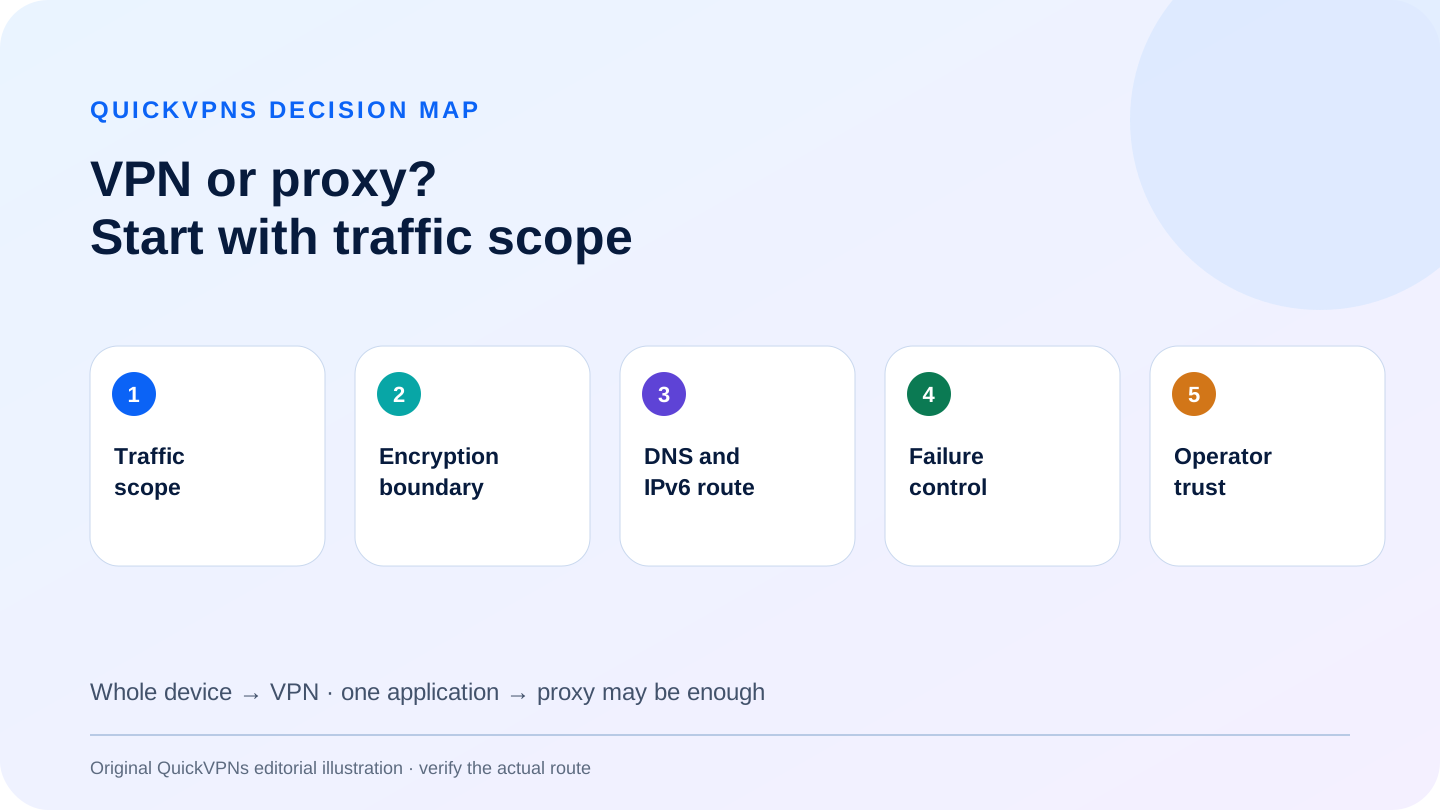
Scope · encryption · DNS · failure behavior · operator trust
At a glance
VPN versus proxy comparison
Typical behavior; a specific implementation can differ.
| Question | Full VPN app | Browser or application proxy |
|---|---|---|
| Traffic covered | Usually device-wide, subject to split-tunneling rules | Only the configured browser or application |
| Encryption | Encrypted between the device and VPN server | Depends on proxy protocol, extension and destination |
| DNS path | Usually handled through the VPN when configured correctly | Can remain outside the proxy unless the implementation covers it |
| Background apps | Covered unless excluded | Use the normal route unless separately configured |
| Failure control | May offer a system or app-level kill switch | Usually limited to the configured application or extension |
| Best fit | Public Wi-Fi, whole-device privacy and consistent routing | One browser, one workflow or a device without install rights |
Network model
How a VPN and proxy route differ
The NIST VPN glossary describes a virtual network built on existing networks that can provide a secure communications mechanism. In a consumer VPN app, the operating system sends selected network traffic through an encrypted tunnel to a VPN server. The destination normally sees the VPN server address rather than the subscriber address.
A proxy accepts a connection on behalf of an application and creates another connection toward the destination. RFC 1928 describes SOCKS as a shim between the application and transport layers and explicitly says it does not provide network-layer gateway services. That is why a browser configured for a proxy can use a different public route while a mail client, game or update service continues through the ISP.
Encryption is a separate question. SOCKS can negotiate authentication and a method may add integrity or confidentiality, but the relay concept does not make every proxy encrypted. HTTPS still protects web content between the browser and website; an HTTPS-based extension can also protect the browser-to-relay leg. Verify the actual product instead of assuming the word “proxy” answers the encryption question.
Privacy boundary
What each tool hides—and from whom
A full VPN can conceal destination traffic from the local Wi-Fi operator and ISP between your device and the VPN server. They can still observe that a connection exists, its timing, volume and the address of the VPN endpoint. The VPN operator becomes the next trust point. The EFF VPN guide therefore recommends choosing a provider by its threat model and evidence rather than by anonymity advertising.
A browser proxy can conceal the browser’s destination path from the local network when that browser-to-proxy connection is encrypted. It does not cover a different browser, cloud-sync client, messenger, operating-system telemetry or software updater. If those applications matter, the proxy is solving only part of the problem.
Websites can still identify or correlate you through account logins, cookies, fingerprinting, GPS permissions and information you submit. Neither tool erases local browser history or an online account’s search history. Private browsing controls local storage; it does not replace network routing.
Leak paths
DNS, IPv6 and WebRTC can expose a different route
DNS translates a name into an address before a connection starts. A browser or application can send that lookup outside a proxy even when the later web request uses the proxy. DNS over HTTPS encrypts queries to the selected resolver, but it changes who sees the lookup rather than making it disappear. Test DNS separately from the public IP.
IPv6 needs the same attention. A tool that reroutes IPv4 but leaves IPv6 untouched creates two different paths. A full VPN or browser extension may support both, block one or rely on the operating system. Check the current support boundary and test on the network you actually use.
WebRTC can use direct peer-to-peer paths. RFC 8828 notes that HTTP and most SOCKS proxies do not support UDP for WebRTC, so a browser may disable UDP, use TCP or follow implementation-specific privacy rules. An extension’s WebRTC control is useful, but it remains a browser feature—not evidence that other applications use the same route.
Naming trap
A “VPN extension” is usually a browser-scoped route
Current documentation from NordVPN, Surfshark and Proton VPN draws the same operational boundary: their browser extensions protect browser traffic, while their full applications protect traffic more broadly at the device level. Marketing language may still call the extension a VPN, but the routing scope is closer to an encrypted browser proxy.
Open another browser or a non-browser application and test it separately. If it keeps the ISP address, the extension is behaving as a browser-only tool.
A browser extension can be the right choice on a managed computer where you cannot install a system app, or when one browser needs a separate location while local apps should stay direct. It is the wrong choice if you expect a torrent client, game, messaging app or background service to follow it automatically.
Decision rules
When to choose a VPN or a proxy
Choose a full VPN app when
- You want the browser and other applications on one protected route.
- You use untrusted networks and need device-wide DNS handling.
- You need a kill switch or automatic reconnect after network changes.
- You cannot afford to forget which applications were configured.
Choose a proxy or browser extension when
- Only one browser or application should use the alternate route.
- You lack administrator permission to install a system VPN.
- Other apps must keep the local IP or lowest-latency path.
- You accept browser-specific DNS, WebRTC and failure controls.
If your need is simply to reach a company network, use the employer’s approved remote-access tool. A consumer VPN or public proxy is not a substitute for corporate identity, device compliance or access policy.
Documented choices
Three services with browser and full-app paths
These are coverage choices, not unsourced speed rankings.
Clear extension-versus-app boundary
NordVPN
NordVPN’s current Chrome documentation explicitly calls the extension a proxy and contrasts browser-only traffic with device-wide NordLynx and OpenVPN routing. That makes it a clear teaching example for this decision. Use the extension when Chrome-only protection is intentional; use the application when background traffic must follow the same route.
Read the NordVPN review for the wider evidence and limitations.
Visit current NordVPN plansBrowser-only control with household coverage
Surfshark
Surfshark documents that its extension secures only browser traffic and leaves the rest of the device on the regular IP. Its full application adds device coverage and a kill switch. That is useful for households that want both a browser-scoped option and broad account coverage without treating them as the same network control.
Read the Surfshark review before choosing a long plan.
Visit current Surfshark plansBrowser path with a free entry point
Proton VPN
Proton VPN documents the extension as a standalone browser product that uses HTTPS and protects only browser traffic. Its support page also calls out browser-specific DNS behavior and recommends the full app when all device connections need coverage. That documentation makes the free entry point useful for learning the boundary before paying.
Read the Proton VPN review for policy and product evidence.
Visit current Proton VPN plansRepeatable check
A five-part traffic-scope test
Run it before trusting either label.
- Record the baseline. Note public IPv4, public IPv6 and DNS resolver before connecting. Close any other VPN or proxy first so the result has one cause.
- Connect the chosen tool. Repeat the checks in the configured browser. The visible route should match the selected endpoint and the DNS result should match the documented behavior.
- Open a second application. Check another browser or a command-line request. If it shows the baseline address, the first tool is browser-scoped. If it shows the VPN address, the route is broader.
- Trigger a controlled failure. Disconnect the route or switch networks. Observe whether traffic stops, reconnects or returns to the ISP path. Check outside the app’s status icon.
- Test the exceptions. If split tunneling or site bypass rules are enabled, verify one protected and one bypassed destination. Save the app version and result so a future update can be compared.
For the wider tunnel model, read how VPNs work. If you decide on a service, use the evidence checklist in how to choose a VPN rather than buying on the largest discount label.
Practical answers
VPN vs Proxy FAQ
Is a VPN better than a proxy?
A VPN is usually better for device-wide privacy because it can route browsers, apps and background services through one encrypted tunnel. A proxy can be better when you deliberately want only one browser or application to use another route.
Does a proxy encrypt internet traffic?
Not automatically. SOCKS defines a relay mechanism and can negotiate authentication, but confidentiality depends on the chosen method and application traffic. An HTTPS-based browser extension may encrypt browser traffic, while a plain proxy may only change the route and visible IP.
Can an ISP see browsing when I use a proxy?
It depends on the proxy type and DNS path. An encrypted browser extension can conceal browser traffic from the local network, but other apps, background services or leaked DNS requests may still use the normal ISP route.
Is a VPN browser extension the same as a VPN app?
No. Current NordVPN, Surfshark and Proton VPN documentation distinguishes browser-only extensions from full apps. The extension protects browser traffic; the app is designed to route device traffic more broadly.
Can I use a VPN and proxy together?
Yes, but layering routes can add latency and make failures harder to diagnose. Use both only for a defined reason, verify the final public IP and DNS path, and confirm which applications remain outside the layered route.
How this guide was built
Methodology and evidence
QuickVPNs compared network scope, encryption boundary, DNS behavior, application coverage and failure controls. Technical definitions come from NIST and IETF standards. Browser-versus-app boundaries come from current NordVPN, Surfshark and Proton VPN documentation checked September 27, 2026.
No first-person speed, leak or reliability result is claimed. A provider page can establish its documented feature boundary; it cannot prove how another network or device will behave. The traffic-scope test is included so readers can verify the actual route.
Continue with the VPN guides hub and its VPN basics guides, compare best VPNs for privacy, or read WireGuard versus OpenVPN. Next scheduled evidence review: January 31, 2027.