

Direct answer
Does a VPN hide browsing history from your ISP?
Yes—when the tunnel is correctly configured, a VPN normally prevents your internet service provider from seeing the destination browsing traffic carried inside it. Your ISP can still see that you connected to a VPN server, when the session started, how long it lasted and how much data moved. Traffic excluded by split tunneling, a DNS leak or a failed tunnel can still use the normal ISP route.
The privacy boundary does not end at the ISP. The VPN operator becomes the network trust point. Websites still see the VPN exit address and can recognize accounts, cookies and browser fingerprints. Your browser or device can retain local history, and a signed-in search provider can keep account activity.
This explainer separates six observers instead of reducing privacy to a yes-or-no claim. Sources were checked September 27, 2026, including a current EFF threat-model guide, the FTC ISP privacy report, IETF privacy standards and provider assurance material.
Visibility map
A VPN changes who can observe the network path
ISP · VPN operator · website · account · device · employer
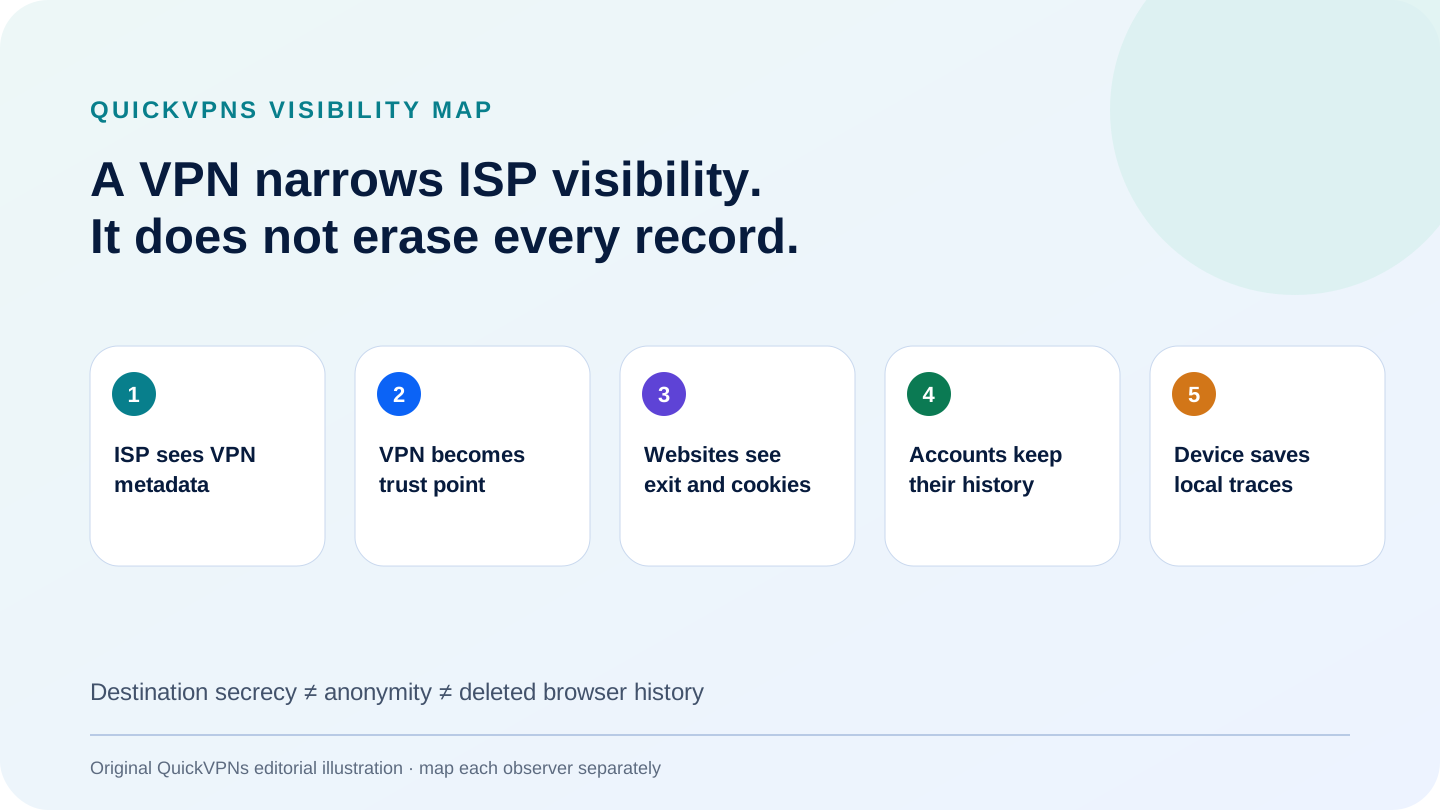
Who sees what
Browsing visibility with a VPN connected
Typical result for a full-tunnel consumer VPN and HTTPS websites.
| Observer | Usually can see | Usually cannot see from the network path |
|---|---|---|
| ISP or local Wi-Fi | VPN endpoint IP, timing, duration, volume and protocol characteristics | Destinations and contents carried inside the tunnel |
| VPN operator | Subscriber connection and tunnel metadata; destination handling depends on design | HTTPS page contents protected end to end |
| Website | VPN exit IP, account, cookies, browser signals and submitted data | Your residential IP when the route does not leak |
| Search/account provider | Queries and activity associated with login, cookies or device identifiers | The ISP account behind the VPN exit |
| Browser or device | Local history, downloads, cache, DNS settings and installed monitoring software | Nothing merely because a VPN is on |
| Employer or school | Managed-device telemetry, security software, account logs and traffic before encryption | Depends on ownership, policy and monitoring point |
It can mean ISP network metadata, DNS queries, local browser history, a search account timeline, website logs or employer telemetry. A VPN changes only part of that system.
ISP boundary
What your ISP still sees when the VPN is on
Your ISP provides the underlying connection, so it still knows the subscriber account, access line or mobile session. It can observe a connection from that line to the VPN endpoint, plus timestamps, packet sizes and total data volume. Repeated endpoint addresses or protocol patterns can indicate VPN use even when the destinations inside the tunnel are not visible.
The EFF’s VPN guidance, reviewed in July 2026, explains the trade-off clearly: the VPN hides outgoing traffic from the ISP and local network, but the VPN provider becomes able to observe the routed traffic. That is a change of trust, not the removal of trust.
The issue is not hypothetical. The FTC’s ISP privacy study found that several major providers combined personal, app-usage and web-browsing data and used or shared data across product lines. The report does not prove that every ISP stores every destination today, but it shows why network visibility and policy matter.
Without a VPN
HTTPS hides page content, but metadata can remain
HTTPS encrypts the page path, form data and content between the browser and website. Without additional privacy mechanisms, network observers may still infer the destination from DNS, the server IP and the TLS handshake. That is why “my sites use HTTPS” and “my ISP learns nothing” are not equivalent claims.
RFC 8484 defines DNS over HTTPS, which encrypts DNS queries between a client and the chosen resolver. It prevents the local network from reading those queries directly, but the resolver becomes the party that processes them. The destination IP and traffic patterns can also provide clues.
In March 2026, RFC 9849 standardized TLS Encrypted Client Hello. ECH can protect the server name inside the ClientHello when deployed correctly, but the standard warns that DNS, server IPs and traffic analysis can still reveal or infer destinations. A VPN adds a broader encrypted hop that groups destination traffic behind the VPN endpoint, yet it still does not remove all metadata.
Common misconceptions
What a VPN does not hide
- Local browser history: a VPN does not delete visited pages, downloads, bookmarks or cache from the device.
- Signed-in search history: Google, Bing or another service can associate queries with an account and its activity settings.
- Cookies and fingerprinting: websites can recognize a returning browser even when the exit IP changes.
- GPS and device location: an application with location permission may receive coordinates independently of the public IP.
- Employer monitoring: a managed device can log activity before it enters the tunnel, and corporate policy may prohibit personal VPNs.
- Malware or screen recording: network encryption cannot repair a compromised endpoint.
Private or incognito mode addresses a different layer. Mozilla’s private browsing documentation says that the ISP, employer and websites can still gather information about visited pages. Use private mode to limit local session traces, not as an ISP privacy control.
Where the model breaks
Split tunneling, DNS leaks and disconnects
Split tunneling intentionally sends selected applications, sites or subnets outside the VPN. That traffic returns to the normal ISP route. The feature can solve banking, local-printer or latency problems, but every exclusion is a separate visibility decision. Keep the list short and documented.
A DNS leak occurs when destination lookups use a resolver outside the intended tunnel. The website connection may still use the VPN exit, yet the ISP or another resolver can observe the name lookup. Test IPv4, IPv6 and DNS independently because one successful public-IP check is incomplete.
A dropped tunnel creates the most obvious failure. If the app silently reconnects through the ISP before the VPN returns, destinations may become visible. A kill switch is designed to block that transition, but feature names and behavior differ by platform. Test one controlled disconnect, sleep/wake cycle and network switch before relying on it.
Moved trust
How to evaluate the VPN operator
A privacy policy is necessary but not enough. Look for a specific description of connection and activity data, independent assurance with a clear scope and date, accessible reports where possible, and applications whose behavior can be inspected. An audit is a bounded snapshot; it is not a guarantee about every future system.
Also separate service data from account data. A provider may avoid logging destinations while retaining email, subscription, payment, support or optional telemetry records. That can be compatible with a no-logs VPN claim, but the categories should be disclosed rather than collapsed into “collects nothing.”
QuickVPNs’ VPN Privacy & Pricing Index records public evidence and pricing structure across a broader set of services. The best VPNs for privacy guide applies an evidence-depth decision framework without claiming anonymity.
If you need a VPN
Three documented evidence paths
No provider can make browser, account or device records disappear.
Best public transparency path
Proton VPN
Proton VPN publishes recurring no-logs assurance material and open-source application code. Those facts improve inspectability, but they do not prove that a user is anonymous or replace a review of account, payment and support data.
Read the Proton VPN review before choosing a plan.
Visit current Proton VPN plansBest long assurance history
NordVPN
NordVPN publishes a history of independent no-logs reviews and separates VPN activity from account and optional-feature data in its policy. Report accessibility and scope still matter; a count of reviews alone is not a privacy score.
Read the NordVPN review for the current evidence boundary.
Visit current NordVPN plansBest many-device policy fit
Surfshark
Surfshark publishes a Deloitte assurance report and a policy that describes temporary connection information separately from browsing activity. Its unlimited-device model can simplify household coverage, but each installed device still needs correct routing and failure controls.
Read the Surfshark review for limitations and policy context.
Visit current Surfshark plansPractical verification
Check the privacy boundary on your own device
- Record the unprotected route. Note public IPv4, IPv6 and DNS resolver. Save the time and network so the comparison is meaningful.
- Connect the full VPN. Repeat all three checks. Do not stop after the IPv4 address changes.
- Test another application. Confirm a second browser or command-line request uses the same exit unless you intentionally enabled split tunneling.
- Interrupt the connection. Switch Wi-Fi networks or briefly disable the adapter. Verify whether traffic stops or returns to the ISP route before reconnecting.
- Audit stored history. Review the browser, signed-in search account, device location permissions and employer controls separately. The tunnel cannot manage those records.
For untrusted networks, pair this with the public Wi-Fi safety guide. For the tunnel mechanics, read how VPNs work.
Practical answers
ISP Browsing History and VPN FAQ
Can my ISP see my browsing history when I use a VPN?
A correctly configured VPN normally hides destination browsing traffic inside the encrypted tunnel. The ISP can still observe the VPN server address, connection times, duration and data volume, and may see traffic that bypasses the tunnel.
Does a VPN hide Google search history?
It hides the network path from the ISP, but Google can still associate searches with a signed-in account, cookies, browser identifiers or activity controls. Delete or manage account history separately.
Can a VPN provider see browsing history?
The provider operates the tunnel endpoint and becomes a trust point. HTTPS still protects page contents from the network intermediary, but destination metadata and DNS handling can be visible. Review logging policy, audits and technical design.
Does incognito or private browsing hide activity from an ISP?
No. Private browsing mainly limits local history, cookies and form data after the session. Mozilla states that the ISP, employer and websites can still gather information about pages visited.
What can an ISP see when a VPN is on?
Typically the ISP can see your subscriber connection, the VPN endpoint IP, timestamps, duration, traffic volume and protocol characteristics. It should not see the tunneled destination names or page contents unless traffic leaks or bypasses the VPN.
Evidence boundary
Methodology and sources
QuickVPNs mapped visibility by observer and distinguished content, destination metadata, connection metadata, local history and account records. General privacy claims use EFF, FTC, Mozilla and current IETF standards. Provider claims are limited to published policies, audit history and application transparency checked September 27, 2026.
No provider is described as anonymous, incapable of logging or immune to compromise. Assurance reports are time- and scope-bound. The practical checklist remains necessary because split tunneling, DNS configuration, operating systems and app versions change the actual route.
Browse the VPN guides hub and its privacy and security guides for adjacent explainers. Next scheduled evidence review: January 31, 2027, or earlier after a material policy or audit change.