

The short answer
WireGuard vs OpenVPN: use WireGuard first, keep OpenVPN as a compatibility path
WireGuard is the better default for most everyday VPN connections because its compact design, fixed cryptographic suite, UDP transport and roaming behavior reduce complexity. OpenVPN remains valuable when you need TCP transport, mature manual profiles, older router support or a fallback on a network that blocks the default protocol.
That is an architectural recommendation—not a promise that WireGuard will be faster on every server or device. Provider implementation, kernel and app code, CPU, server distance, congestion, MTU, DNS and reconnect behavior can outweigh the protocol label. Compare both under the same conditions before changing a working default.
This guide uses official WireGuard and OpenVPN documentation plus provider support pages checked September 27, 2026. It also records an important 2026 change: protocol availability is becoming more platform-specific, so a generic feature list can already be stale.
Decision map
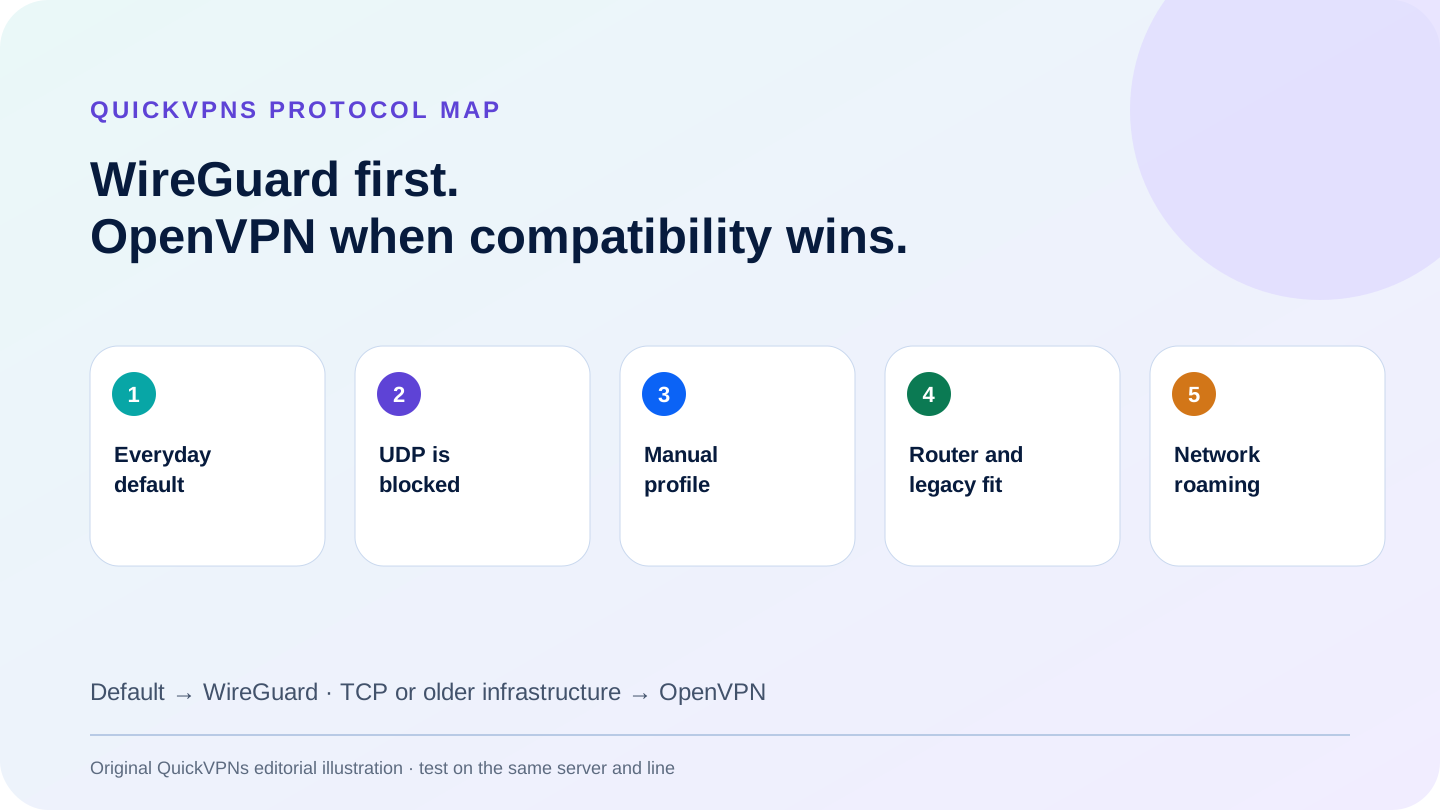
Choose the protocol that solves the measured problem
Everyday default · restricted network · manual setup · router · roaming
Technical comparison
WireGuard versus OpenVPN at a glance
Protocol properties; commercial implementations can add their own layers.
| Criterion | WireGuard | OpenVPN |
|---|---|---|
| Transport | UDP | UDP or TCP |
| Cryptography model | Fixed modern suite in the protocol design | TLS control channel and configurable data-channel negotiation |
| Code and configuration surface | Compact, intentionally narrow | Mature, flexible and highly configurable |
| Network roaming | Designed to keep a peer identity across endpoint changes | Reconnect behavior depends on client and configuration |
| Restricted-network fallback | Provider wrappers may add TCP or obfuscation | Native UDP and TCP modes; TCP often easier to pass through strict networks |
| Manual ecosystem | Simple key-and-peer configuration | Long-established profiles, clients and router support |
| Best default | Most current desktop and mobile connections | Compatibility, TCP fallback and older infrastructure |
WireGuard
Why WireGuard is usually the everyday default
The official WireGuard protocol documentation describes cryptokey routing: a peer’s public key is associated with allowed tunnel addresses. The protocol uses UDP and a deliberately selected set of modern primitives rather than exposing a long cipher menu to the user.
The small conceptual surface is useful operationally. There are fewer combinations for an ordinary user to misconfigure, handshake state is lightweight and network roaming is part of the design. Moving between Wi-Fi and mobile data can therefore be smoother when the provider client handles routes and kill-switch state correctly.
WireGuard’s narrow design also creates a boundary. It does not provide TCP transport by itself. Providers may build TCP, obfuscation, dynamic address handling or account integration around it, but those are implementation layers, not universal WireGuard properties. A feature available in one provider’s “WireGuard-based” protocol may not exist in another.
OpenVPN
Why OpenVPN remains relevant
The OpenVPN 2.6 manual documents both UDP and TCP transports and says OpenVPN is designed to operate optimally over UDP. TCP exists for situations where UDP cannot be used or where compatibility matters more than minimum overhead.
OpenVPN has a mature configuration ecosystem. Administrators can use certificates, profile files, proxies, routes and many policy options across a wide range of platforms. That flexibility is useful on routers, legacy systems and managed networks, but it also creates more ways for two configurations to differ. “OpenVPN” is not one identical cipher, transport and tuning profile.
The OpenVPN cryptographic-layer documentation separates TLS authentication and key exchange from encrypted tunnel data. Current OpenVPN configurations negotiate modern data ciphers; old tutorials and abandoned profiles can still contain obsolete settings. Use current provider or project documentation rather than copying a decade-old configuration.
Security model
Both can be secure; configuration changes the risk
WireGuard’s fixed suite reduces algorithm choice and makes the expected protocol easier to reason about. OpenVPN’s TLS-based, configurable model supports a broader range of deployments. Neither property proves that a commercial VPN service is private: server operations, account systems, DNS, logging, client updates and kill-switch behavior sit above the tunnel protocol.
Do not equate “open source” with “audited everywhere” or “small” with “bug-free.” A compact codebase can be easier to review, but the provider app, kernel integration, account API and routing rules still add code. OpenVPN’s longer history brings broad scrutiny and compatibility, while legacy configuration creates its own maintenance burden.
The practical security question is whether the current app negotiates a supported configuration, routes IPv4, IPv6 and DNS as documented, and fails closed when required. Test those outcomes rather than selecting a protocol solely because one marketing page calls it military-grade.
Performance
Why protocol speed claims do not transfer cleanly
WireGuard often has less processing overhead and can integrate efficiently with an operating system, so it is a sensible first speed choice. That still does not make an unrelated benchmark portable to your connection. A nearby uncongested OpenVPN server can beat a distant loaded WireGuard server.
CPU acceleration, mobile power state, packet size, MTU, route length, Wi-Fi quality and provider capacity all change the result. OpenVPN TCP can also suffer from nested retransmission behavior when TCP application traffic is carried inside a TCP tunnel. Use it when UDP fails—not as the default way to chase speed.
A valid comparison keeps the device, baseline line, provider, server city, test endpoint and time window stable. Change only the protocol, run several alternating trials and compare medians. The controlled workflow below is more useful than a single best-case screenshot.
Compatibility
When OpenVPN is the better choice
- UDP is blocked: OpenVPN TCP can pass through networks that refuse UDP, although advanced filtering can still identify or block VPN traffic.
- The router supports OpenVPN but not WireGuard: older firmware often has a stable OpenVPN client and no WireGuard path.
- You need an established profile format: a managed deployment may already use certificates, routes and controls built around OpenVPN.
- You are troubleshooting a provider default: switching to OpenVPN isolates whether the problem follows one protocol path.
- A current platform guide requires it: follow the supported implementation for the exact device rather than forcing a preferred protocol.
For router-specific CPU and firmware constraints, use the router VPN guide. For a failed connection, follow the VPN troubleshooting guide before changing several settings at once.
2026 support boundary
Protocol names differ across VPN providers
Check the current platform page, not a global feature badge.
| Provider | WireGuard path | OpenVPN path | Important caveat |
|---|---|---|---|
| NordVPN | NordLynx, based on WireGuard | OpenVPN UDP/TCP in supported apps and manual paths | Automatic and NordWhisper choices add provider-specific behavior |
| Surfshark | WireGuard in supported apps and manual profiles | OpenVPN UDP/TCP across documented app and manual paths | Availability differs by platform; a proprietary protocol also exists on a limited path |
| Proton VPN | Broad app support plus manual configuration | Narrowing official-app support; manual and Linux paths remain documented | Product lifecycle marks OpenVPN deprecated or end-of-life on several official app platforms |
Proton VPN’s current lifecycle documentation shows why an old comparison can mislead: OpenVPN remains available in some paths but is deprecated or removed from several official apps. Verify the exact operating system before buying for one protocol.
Documented implementations
Three provider approaches
Choose the app path that fits the network—not a universal protocol winner.
Best managed default and fallback set
NordVPN
NordVPN exposes NordLynx as its WireGuard-based everyday path and documents OpenVPN plus a provider-specific NordWhisper option on supported apps. That creates several fallback routes without requiring a manual profile for ordinary troubleshooting.
Read the NordVPN review for the wider evidence boundary.
Visit current NordVPN plansBest broad WireGuard and OpenVPN choice
Surfshark
Surfshark currently documents WireGuard and OpenVPN UDP/TCP across a broad app set and provides manual configuration paths. Platform details still vary, so check the current app and router guide instead of assuming every protocol appears everywhere.
Read the Surfshark review before choosing a plan.
Visit current Surfshark plansBest transparent protocol lifecycle
Proton VPN
Proton VPN documents broad WireGuard support, Smart Protocol selection and explicit lifecycle stages for OpenVPN. The limitation is meaningful: users who require OpenVPN inside an official app must verify the exact platform because support is narrowing.
Read the Proton VPN review for policy and product evidence.
Visit current Proton VPN plansRepeatable test
A controlled WireGuard versus OpenVPN A/B test
Change one variable, alternate the order and keep the raw runs.
- Capture the baseline. On one device and network, record latency, download, upload, public IPv4, IPv6 and DNS without the VPN.
- Select one provider location. Use the same city and, where possible, the same physical or named server for both protocol paths.
- Alternate protocols. Run WireGuard, OpenVPN UDP, WireGuard, OpenVPN UDP rather than completing all trials for one protocol first. This reduces time-of-day bias.
- Use at least three valid runs. Record medians, connection time and any failure. Do not keep only the fastest screenshot.
- Trigger mobility and failure. Test Wi-Fi-to-mobile or sleep/wake behavior, then verify public IP, DNS and kill-switch outcome after reconnect.
- Test OpenVPN TCP only if needed. Compare it as a restricted-network fallback, not as the normal speed rival to UDP-based WireGuard.
- Save context. Keep date, device, OS, app version, protocol, server, baseline and raw runs. Retest after a material update.
Linux users should also check the exact app and package boundary in best VPNs for Linux. For the conceptual layers behind the test, read how VPN tunnels work.
Practical answers
WireGuard vs OpenVPN FAQ
Is WireGuard better than OpenVPN?
WireGuard is usually the better everyday default because of its compact architecture, efficient UDP design and roaming behavior. OpenVPN is still useful for TCP transport, mature manual profiles, older hardware and restrictive networks.
Is WireGuard faster than OpenVPN?
Its design often reduces processing overhead, but a universal speed winner cannot be guaranteed. Server load, distance, CPU, operating system, MTU and provider implementation can dominate. Compare both on the same device, line and location.
Is WireGuard as secure as OpenVPN?
Both can provide strong VPN security when correctly implemented. WireGuard uses a fixed modern cryptographic suite and small design; OpenVPN uses TLS and supports configurable cipher negotiation. Operational configuration and updates remain essential for both.
Why would I use OpenVPN TCP?
OpenVPN TCP can connect on networks where UDP is blocked or unreliable. It usually carries more overhead and TCP-over-TCP interactions can hurt performance, so treat it as a compatibility path rather than the fastest default.
Should I choose the provider’s automatic protocol setting?
Usually yes. Automatic selection can switch to a supported fallback when the default fails. Manual selection is useful for troubleshooting or a defined requirement, but record the server and settings so the comparison remains reproducible.
Evidence boundary
Methodology and sources
QuickVPNs compared transport, cryptographic model, configuration surface, roaming, fallback options, manual ecosystem and current platform support. Protocol properties come from the official WireGuard and OpenVPN projects. Product availability comes from provider documentation checked September 27, 2026.
No first-party speed winner is claimed. A protocol can create lower overhead without guaranteeing a higher result on a different server or line. The A/B method is designed to produce a useful local answer while preserving the variables needed to repeat it.
Browse the review all VPN guides or continue with our VPN basics guides for adjacent setup and privacy material. Next scheduled evidence review: January 31, 2027, or earlier after a protocol lifecycle change.