

The short answer
best VPN for Android: choose by the failure you need to prevent
NordVPN is the best VPN for Android for most users because it combines a polished app, split tunneling and strong Android TV support. Surfshark is best value for households with many Android devices. Proton VPN is the privacy-first option and is especially useful when verified APK availability or transparent open-source apps matter.
Android exposes VPN controls that iOS does not, including system-level Always-on VPN, the option to block connections without a VPN and wider split-tunneling support. The best Android VPN should use those controls clearly rather than bury them behind a one-tap connect button.
APK availability is also a real decision factor. It can help when Google Play is unavailable, but it creates a supply-chain risk if the file comes from an unofficial mirror. Only download an APK from the provider’s documented channel and verify the source before installing.
We compare the Android app, Android TV coverage, split tunneling and the relationship between the app’s kill switch and Android’s own Always-on VPN controls.
Decision map
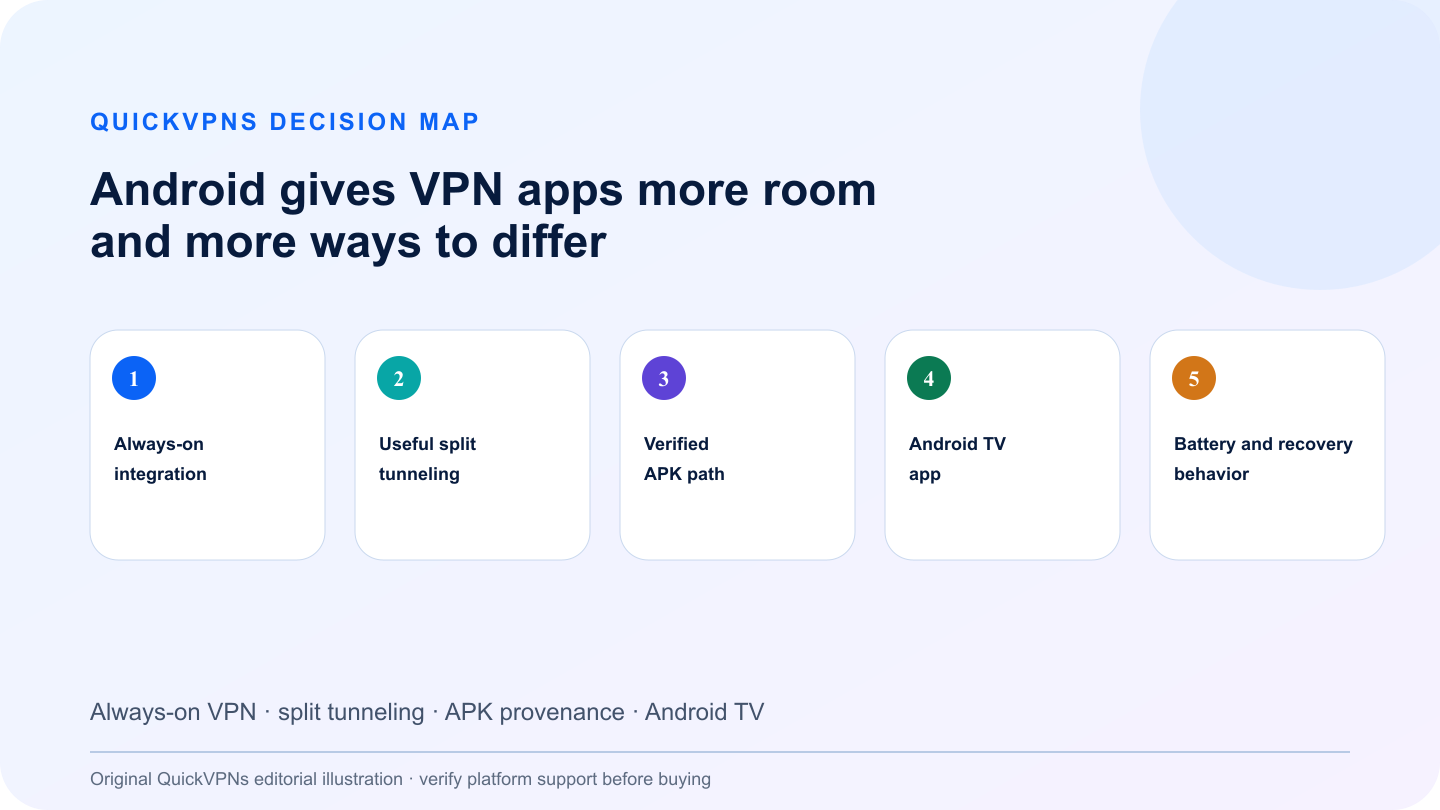
Android gives VPN apps more room—and more ways to differ
Always-on VPN · split tunneling · APK provenance · Android TV
What matters
How to choose the best VPN for Android
Five criteria that change real-world behavior—not decorative feature count.
- Always-on integration
Android can keep a VPN active and block non-VPN traffic at the operating-system level.
- Useful split tunneling
Exclude local devices, banking apps or latency-sensitive games without disabling the whole tunnel.
- Verified APK path
A direct APK should come from the provider’s official documentation, never an anonymous download site.
- Android TV app
Native remote-friendly navigation is more reliable than sideloading a phone interface.
- Battery and recovery behavior
A mobile VPN must reconnect after sleep, roaming and network changes without excessive background churn.
At a glance
Quick comparison
Provider features are summarized by the problem they solve. Availability can change by platform.
| Criterion | NordVPN | Surfshark | Proton VPN |
|---|---|---|---|
| Split tunneling | App-based exclusions | Bypasser controls | Documented split tunneling |
| Always-on VPN | Works with Android system controls | Works with Android system controls | Dedicated setup documentation |
| APK route | Official provider download options | Official application support channel | Official Android/APK documentation |
| Best fit | Balanced everyday use | Many Android devices | Transparency and manual installation |
The shortlist
Top best VPN for Android picks
Three credible choices with different strengths and explicit trade-offs.
Best Android VPN overall
NordVPN
NordVPN offers the strongest balance of a mature phone app, split tunneling and a native Android TV experience.
Its Android split tunneling lets selected apps bypass the encrypted tunnel, which is useful for local casting, banking checks and services that dislike shared VPN addresses. The Android TV app is designed for a remote rather than a touch screen. For most users, the right setup is Android Always-on VPN plus a short, deliberate exclusion list—not excluding half the phone.
Strengths
- App-based split tunneling
- Android TV and Nvidia Shield support
- Compatible with Android Always-on VPN
- Simple protocol defaults
Trade-offs
- Ten-device account limit
- Split tunneling can weaken protection if overused
- Some specialty features differ from desktop
Best value for Android households
Surfshark
Surfshark is the value pick when phones, tablets, Android TVs and other devices must connect under one account.
Bypasser provides split-tunneling controls and the Android app has a broad feature set. Unlimited connections remove device-slot bookkeeping. That does not mean every toggle should be enabled: start with auto-connect, Kill Switch and one nearby location, then add exclusions only for apps with a specific problem.
Strengths
- Unlimited simultaneous devices
- Bypasser split tunneling
- Android and Android TV apps
- Automatic connection options
Trade-offs
- Many settings can overwhelm beginners
- Feature names differ from Android system labels
- Sideloading still requires careful source verification
Best privacy-first Android option
Proton VPN
Proton VPN stands out for open-source apps, detailed Android documentation and an official route for manual installation.
Proton documents split tunneling, Always-on VPN and Android installation separately, which makes the security model easier to audit. Its official download guidance is the only sensible starting point if Google Play is unavailable. Android TV support adds a native big-screen path, while the free plan offers a low-risk way to inspect the interface before paying.
Strengths
- Open-source Android app
- Detailed Always-on VPN guide
- Official APK and Android documentation
- Android TV support
Trade-offs
- Ten-device paid-plan limit
- Advanced privacy modes can reduce speed
- Manual APK updates require discipline
Practical workflow
Configure Android’s protection in the right order
Follow the sequence and stop when the setup solves the measured problem.
- Install from Google Play when possible. If you need an APK, follow the provider’s official Android page, reject files from mirrors and enable installation from unknown sources only for the shortest possible time.
- Connect once, then open Android network settings and enable Always-on VPN. If your threat model requires it, enable “Block connections without VPN,” but remember that captive portals and some local-network tools may stop working until you temporarily relax the rule.
- Use split tunneling narrowly. Exclude one app only after you can explain why it must bypass the VPN. A long exclusion list defeats the reason for enabling system-level protection.
- On Android TV, install the native TV app and test remote navigation, wake-from-sleep recovery and playback before relying on it for a trip or event.
Read our VPN guides hub, then review how VPNs work and VPNs for multiple devices. Browse the related devices setup guides for adjacent setup help.
Know the boundary
What a consumer VPN will not fix
A consumer VPN changes the route between your device and a provider-controlled server. It does not remove malware, repair a compromised account, replace software updates or make unsafe behavior harmless. Keep multi-factor authentication, device encryption and current operating-system patches enabled.
If your actual need is access to company files, internal applications or administrator tools, use the employer-provided business VPN and follow the organization’s security policy. A personal subscription is not a substitute for managed access.
Do not buy from a claim that depends on a guaranteed result the provider cannot control. Network conditions, platform behavior and third-party services change. Use the repeatable checks above during the refund window and keep the service only when it solves the specific problem you measured.
Review our VPN selection guide before paying for a long plan.
Practical answers
Best VPN for Android: 3 Apps Compared FAQ
What is the best VPN for Android?
NordVPN is the strongest all-round Android choice for most people. Surfshark is better for unlimited devices, while Proton VPN is the transparency-focused option with official installation documentation.
Is an APK VPN safe?
An APK can be safe when it comes directly from the provider’s documented download path. Avoid third-party mirrors, verify the source and keep the app updated.
Should I use Android Always-on VPN?
It is useful on devices that should reconnect automatically. The stricter block-without-VPN option can interfere with captive portals, casting and local network tools, so test it first.
Does split tunneling make a VPN unsafe?
Not by itself, but excluded apps use the normal internet connection. Keep the exclusion list short and intentional.
How we selected
Methodology and evidence
QuickVPNs compared documented platform behavior, installation paths, failure controls and the provider evidence that changes this specific use case. We weighted operational fit above feature count and excluded claims we could not connect to current official documentation.
These are editorial recommendations, not provider-bought placements. We did not claim laboratory performance without a reproducible test. Platform support and app behavior change, so this guide is scheduled for review and the latest provider documentation remains the source of truth.