

The short answer
Best VPN for Windows: choose by failure controls, not feature count
NordVPN is the best VPN for Windows for most people because it combines a mature Windows app, two kill-switch modes, split tunneling and native ARM support. Surfshark is the best value for households with many PCs. Proton VPN is the best privacy-first Windows choice and offers the clearest combination of advanced kill switch, IPv6-aware split tunneling and open-source software.
Windows gives VPN apps more control than mobile operating systems, but that creates more ways for settings to interact badly. The important questions are whether excluded apps still work when the kill switch fires, whether IPv6 and DNS stay inside the intended path, and whether the app reconnects after sleep, restart and network changes.
We evaluated the behavior a Windows user can test, not a screenshot of the settings menu. Every shortlisted app has a supported ARM path, but individual security extras can still lag behind on ARM devices.
Decision map
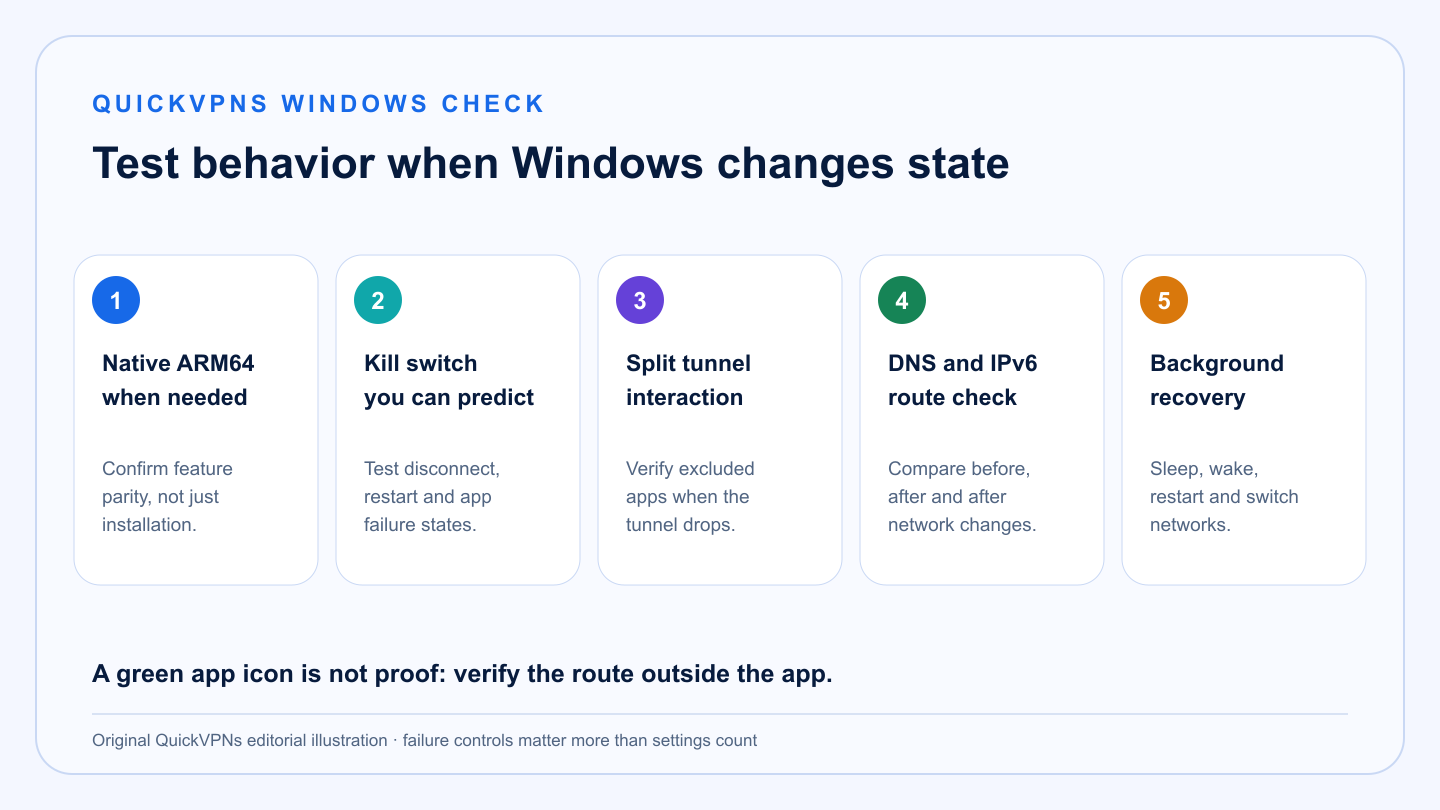
Five Windows checks that expose weak VPN apps
ARM build · kill switch · split tunnel · DNS/IPv6 · background recovery
What matters
How to choose the best VPN for Windows
The label is less important than what the app does when Windows changes state.
-
Predictable kill switch
Internet-wide and app-specific modes solve different problems. Verify which one remains active after a reboot.
-
Split tunneling with documented interactions
An excluded app should behave as expected even when the tunnel fails. Some kill switches override exclusions.
-
DNS and IPv6 handling
A provider should document how name lookups and IPv6 traffic are handled, not merely claim leak protection.
-
Native Windows ARM support
A native ARM64 build is preferable to emulation, but confirm that the specific extras you need are available.
-
Background recovery
The app should launch at startup, recover after sleep and clearly show whether Windows has a protected route.
At a glance
Windows VPN comparison
Feature names can hide different behavior. Read the provider notes before combining controls.
| Criterion | NordVPN | Surfshark | Proton VPN |
|---|---|---|---|
| Best fit | Balanced everyday Windows use | Many PCs and strong value | Privacy and advanced routing control |
| Kill switch | Internet and app modes | Strict and soft behavior documented | Standard and persistent advanced mode |
| Split tunneling | App exclusions | App and website bypass options | Apps and IPs; include or exclude |
| Windows ARM | Native app; some extras differ | ARM64 installer | Dedicated ARM build |
| IPv6 position | Protected within supported app behavior | IPv6 not supported; provider advises disabling it | IPv6-aware leak protection and split rules |
The shortlist
Best VPN for Windows picks
Each choice is strong, but they optimize for different Windows users.
Best all-round Windows VPN
NordVPN
NordVPN is the best fit for most Windows users because its core controls are mature and the trade-offs are documented. The Internet Kill Switch blocks the whole connection when required; the App Kill Switch can close named applications if the tunnel drops.
Its split-tunneling documentation also explains a detail many comparison pages miss: the Internet Kill Switch can take priority over split tunneling, so excluded apps may still lose connectivity when the VPN is not connected. That is defensible security behavior, but it must match the user’s expectation.
Strengths
- Internet and app-specific kill switches
- Documented interaction with split tunneling
- Native Windows ARM support
- Simple startup and auto-connect controls
Trade-offs
- Internet Kill Switch can override excluded apps
- Some protection extras differ on ARM
- Ten-device limit may constrain large households
- Advanced users may want more route-level controls
Best value for many Windows devices
Surfshark
Surfshark is the value choice for homes with multiple desktops, laptops and virtual workspaces. The Windows app includes auto-connect, startup behavior, Kill Switch, Bypasser and protocol controls, while unlimited simultaneous connections remove device-slot management.
The major caveat is IPv6. Surfshark says it does not support IPv6 and advises users to disable it. That is workable, but it is less elegant than native dual-stack handling and deserves attention on modern Windows networks.
Strengths
- Unlimited simultaneous connections
- App and website bypass controls
- Native ARM64 installer
- Strong startup and background options
Trade-offs
- No IPv6 support
- Legacy Windows versions require a legacy app
- Interface includes adjacent-product upsells
- Bypass behavior still needs real testing
Best privacy-first Windows VPN
Proton VPN
Proton VPN offers the most explicit advanced control on Windows. Its persistent Advanced Kill Switch can keep the device offline even after restart until a VPN connection is restored, and split tunneling can include or exclude applications and IP addresses.
Proton’s Windows documentation also covers ARM builds, custom DNS, DNS and IPv6 leak protection, multiple protocols and alternative routing. The warning is operational: a persistent kill switch can interfere with Microsoft-account sign-in or other services that expect connectivity before the VPN app is ready.
Strengths
- Standard and persistent advanced kill switch
- App and IP split tunneling
- Dedicated Windows ARM build
- Open-source apps and strong protocol choice
Trade-offs
- Advanced Kill Switch can complicate login recovery
- More settings than casual users may need
- Ten-device limit on paid plans
- Persistent controls require careful testing
Verify it
A 15-minute Windows VPN acceptance test
Run this before the refund window closes.
- Baseline the connection. Record public IP, DNS resolver, IPv6 availability, download speed and latency with the VPN off.
- Connect nearby. Repeat the measurements on an automatic or nearby server. Confirm that public IP and DNS ownership changed as expected.
- Force a tunnel change. Switch between Wi-Fi and Ethernet, sleep and wake the PC, then restart Windows. Check whether the app reconnects and whether traffic escapes during recovery.
- Test the kill switch. Start a continuous connection, then change server or stop the VPN process using the provider’s documented method. Do not intentionally corrupt drivers.
- Test split tunneling. Exclude one low-risk browser, leave another inside the tunnel, and verify both public IPs. Then trigger the kill switch and observe which path survives.
- Check background behavior. Sign out, sign in and confirm the taskbar state matches the actual public IP. A green icon is not evidence by itself.
Microsoft says Network Reset removes and reinstalls adapters and can require VPN or virtual-switch software to be reinstalled. Try the provider’s repair path first.
Platform reality
What a Windows VPN cannot guarantee
A VPN cannot make an infected PC safe, protect credentials entered into a phishing page, or prevent a signed-in service from identifying the account. It also cannot guarantee access to a specific streaming or banking service.
Split tunneling intentionally creates two routes. That can be useful, but the excluded path is outside VPN protection. Enterprise security tools, Hyper-V, WSL, third-party firewalls and other network filters can also change behavior. Test the actual software stack you use.
For adjacent help, browse the VPN Guides hub, read how to choose a VPN, or use our VPN troubleshooting guide when an existing app stops connecting.
ARM buyers
Do not treat “installs on ARM” as full compatibility
A native Windows ARM build is an important baseline because VPN clients depend on low-level networking components. It is not proof that every adjacent feature has reached parity. Threat scanners, browser protection, virtual adapters and legacy protocol components can ship on a different schedule from the core tunnel.
Before choosing a Snapdragon-based Windows PC, check the provider’s current ARM release notes for the one feature that matters to you. Then run the same kill-switch, DNS, sleep and network-change tests used on an x64 machine. If a provider offers only emulation or is vague about ARM, use the refund window as a compatibility trial rather than assuming the marketing page covers your model.
Practical answers
Best VPN for Windows FAQ
What is the best VPN for Windows?
NordVPN is the best all-round Windows VPN for most people. Surfshark is better value for many devices, while Proton VPN offers the most explicit privacy and advanced failure controls.
Does Windows 11 include a VPN?
Windows includes a built-in VPN client for compatible profiles, but it is not a consumer VPN subscription or server network. A commercial provider app adds managed servers and provider-specific controls.
Do VPNs work on Windows ARM?
NordVPN, Surfshark and Proton VPN offer Windows ARM paths. Confirm that the particular extras you need are supported, because feature parity can lag behind x64 builds.
Should I enable both split tunneling and a kill switch?
Only after testing their interaction. A strict or internet-wide kill switch may block apps that split tunneling was supposed to exclude.
How do I test for a DNS or IPv6 leak on Windows?
Record DNS and IPv6 results before connecting, repeat after connecting, and compare ownership and route. Test again after sleep, a network switch and a server change.
How we selected
Methodology and evidence
QuickVPNs compared current official Windows documentation for kill switches, split tunneling, IPv6 and DNS handling, ARM builds, startup controls and recovery behavior. We weighted documented failure behavior above decorative security extras.
Platform capabilities and app releases change. Re-run the acceptance test after major Windows or VPN updates, and treat the provider’s current release notes as the source of truth.
The final acceptance check models normal Windows state changes: startup, sleep, Wi-Fi changes, adapter resets and app exclusions. It also separates native ARM support from partial feature parity, because a working tunnel does not prove that every filter or security extra is native. Test the PC, Windows build and third-party firewall you actually use during the refund period, then repeat after a major update. For more context, use the VPN Guides hub, browse Windows and device setup guides, or start the VPN troubleshooting sequence.