
The short answer
best VPN for Firestick: choose by the failure you need to prevent
NordVPN is the best VPN for Firestick for most users because its TV app is simple and fast to operate with a remote. Surfshark is best value for households and documents both normal Fire TV setup and sideloading. Proton VPN is the privacy-first alternative with a dedicated Fire TV app and clear installation guidance.
A Fire TV VPN is not just a smaller phone app. It must be installable from the device’s app store, readable across a room, stable after sleep and easy to reconnect with a remote. A service can be excellent on a laptop and frustrating on a television.
Compatibility is more complicated than the words “Fire TV.” Device generation, region and operating system can affect app availability. Newer devices may use a different platform, and sideloading is not a permanent substitute for a maintained native app.
We rank providers by native-app usability, connection recovery and the quality of their troubleshooting documentation—not by promises that every streaming catalog will always work.
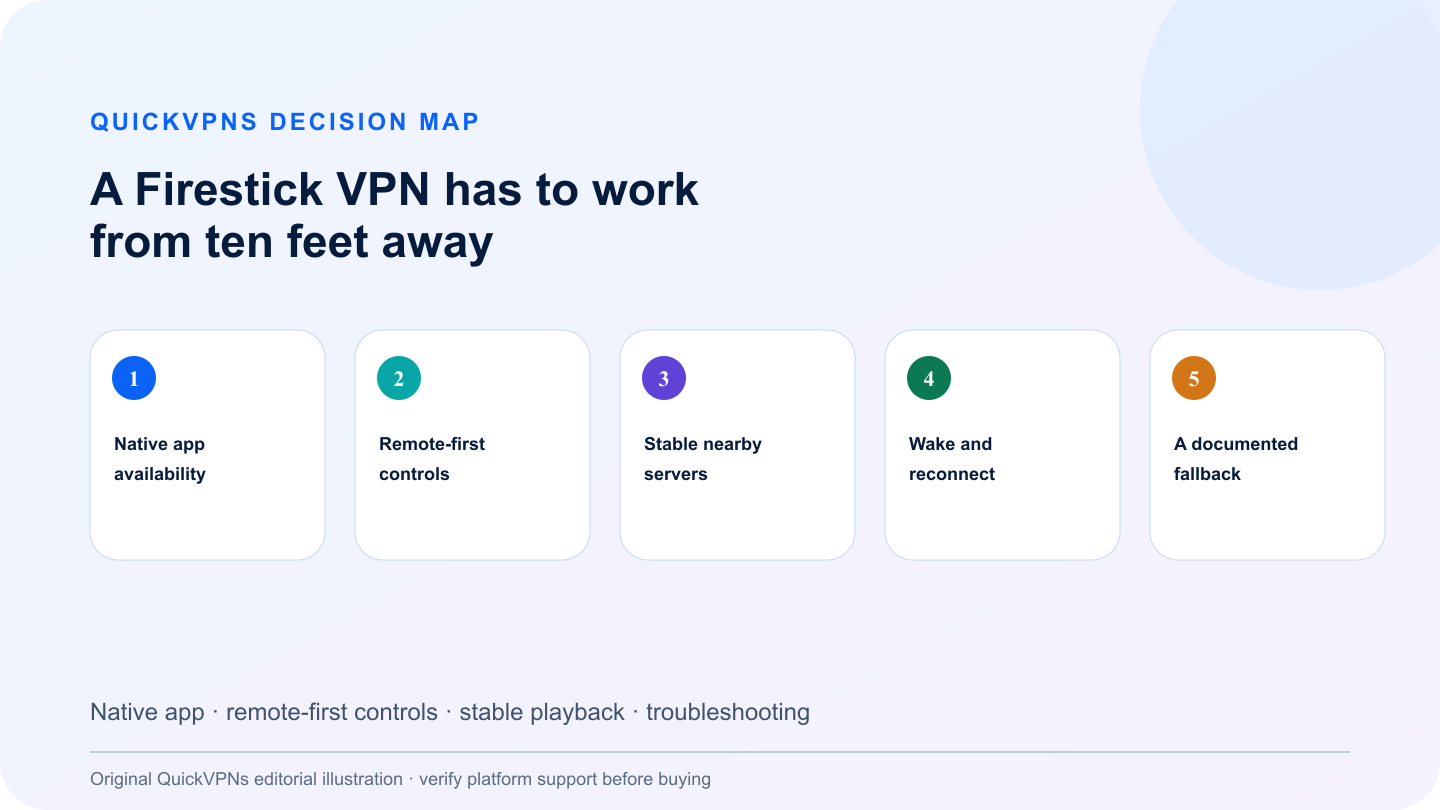
Decision map
A Firestick VPN has to work from ten feet away
Native app · remote-first controls · stable playback · troubleshooting
What matters
How to choose the best VPN for Firestick
Five criteria that change real-world behavior—not decorative feature count.
- Native app availability
Start with the Amazon Appstore on the actual device; do not assume phone support means Fire TV support.
- Remote-first controls
Server search, favorites and connect status must be usable without a keyboard or touch screen.
- Stable nearby servers
For streaming, a nearby stable server usually matters more than a distant location with a lower headline load.
- Wake and reconnect
Test whether the app recovers after the television sleeps or the Wi-Fi briefly drops.
- A documented fallback
Good support explains cache resets, app updates, protocol changes and when sideloading is appropriate.
At a glance
Quick comparison
Provider features are summarized by the problem they solve. Availability can change by platform.
| Criterion | NordVPN | Surfshark | Proton VPN |
|---|---|---|---|
| Native Fire TV guidance | TV/console setup documentation | Dedicated Fire TV Stick setup | Dedicated Fire TV support page |
| Remote usability | Simple location and connect flow | Search and favorites | Clean TV-focused interface |
| Troubleshooting depth | General TV and connection help | Setup, sideload and Vega OS guidance | Install and connection guidance |
| Best fit | Simple everyday streaming | Households and edge cases | Privacy-first viewing |
The shortlist
Top best VPN for Firestick picks
Three credible choices with different strengths and explicit trade-offs.
Best Firestick VPN overall
NordVPN
NordVPN is the easiest all-round choice for users who want to install, connect and return to the streaming app quickly.
The TV experience favors a short path from launch to connection. That matters because entering long credentials and diagnosing protocols with a remote is painful. Choose a nearby server first, verify playback and save specialty modes for a specific problem. NordVPN’s own kill switch documentation notes that platform support differs, so do not assume Fire TV behaves like Windows.
Strengths
- Native TV-focused setup path
- Fast access to nearby locations
- Straightforward remote operation
- Broad account ecosystem
Trade-offs
- Fire TV lacks some desktop controls
- Ten-device account limit
- Streaming access can change without notice
Best value and troubleshooting depth
Surfshark
Surfshark combines unlimited connections with unusually specific Fire TV installation and recovery documentation.
It documents normal Amazon Fire TV installation, sideloading and connection issues on newer Vega OS devices. That does not guarantee compatibility with every model, but it gives users a better decision tree than repeated reinstalling. Unlimited device connections also suit homes with several televisions and mobile devices.
Strengths
- Unlimited simultaneous devices
- Dedicated Fire TV setup guide
- Documented sideloading path
- Vega OS troubleshooting guidance
Trade-offs
- Sideloading adds update and provenance risks
- TV features remain simpler than desktop
- Many locations can encourage unnecessary server-hopping
Best privacy-first Fire TV option
Proton VPN
Proton VPN is a strong alternative for users who want a dedicated Fire TV app from a privacy-led provider.
Its support documentation gives Fire TV a separate installation path rather than burying it inside a general smart-TV article. The app is a sensible fit for readers already using Proton on phones or computers. As with every provider, streaming access is a moving target and should not be the only reason to subscribe.
Strengths
- Dedicated Fire TV support page
- Privacy-focused service design
- Simple account continuity across devices
- Clear installation steps
Trade-offs
- Ten-device paid-plan limit
- Free plan is not the right basis for location-specific streaming
- Advanced routing modes can reduce throughput
Practical workflow
Install once, then use this Firestick troubleshooting order
Follow the sequence and stop when the setup solves the measured problem.
- Search the Amazon Appstore on the Fire TV itself and confirm the publisher. Install, sign in and connect to the nearest suitable location. A nearby server is the best baseline for playback stability.
- If video fails, do not immediately reinstall everything. Disconnect the VPN, confirm the streaming app works normally, reconnect to a nearby server, force-stop the streaming app and clear only its cache.
- Next, update Fire TV, the VPN app and the streaming app. Restart the device and router. Try one alternative protocol only if the TV app exposes that control.
- Use sideloading only when the provider documents it for your model and OS. A sideloaded app may not update automatically, and a phone APK can be unusable with a remote.
- If the device runs a platform the provider does not support, use a compatible router or choose a provider with a maintained native app. Do not turn a temporary workaround into an invisible maintenance problem.
Read our VPN guides hub, then review best VPNs for streaming and how to choose a VPN. Browse the related streaming access guides for adjacent setup help.
Know the boundary
What a consumer VPN will not fix
A consumer VPN changes the route between your device and a provider-controlled server. It does not remove malware, repair a compromised account, replace software updates or make unsafe behavior harmless. Keep multi-factor authentication, device encryption and current operating-system patches enabled.
If your actual need is access to company files, internal applications or administrator tools, use the employer-provided business VPN and follow the organization’s security policy. A personal subscription is not a substitute for managed access.
Do not buy from a claim that depends on a guaranteed result the provider cannot control. Network conditions, platform behavior and third-party services change. Use the repeatable checks above during the refund window and keep the service only when it solves the specific problem you measured.
Review our VPN selection guide before paying for a long plan.
Practical answers
Best VPN for Firestick: Fire TV Apps and Fixes FAQ
What is the best VPN for Firestick?
NordVPN is the best all-round choice for most Fire TV users. Surfshark offers unlimited connections and deeper Fire TV troubleshooting, while Proton VPN is the privacy-first alternative.
Can I install a VPN directly on Fire TV Stick?
Usually, yes, when the provider publishes a compatible app in the Amazon Appstore for your device and region. Check the actual Fire TV rather than assuming compatibility.
Why is my Firestick VPN connected but streaming does not work?
First verify the streaming app works without the VPN. Then use a nearby server, force-stop the app, clear its cache, update everything and restart the device. Streaming services can also block VPN addresses.
Should I sideload a VPN on Firestick?
Only when the provider documents the process for your device. Sideloading creates update, interface and provenance risks, so a maintained native app is preferable.
How we selected
Methodology and evidence
QuickVPNs compared documented platform behavior, installation paths, failure controls and the provider evidence that changes this specific use case. We weighted operational fit above feature count and excluded claims we could not connect to current official documentation.
These are editorial recommendations, not provider-bought placements. We did not claim laboratory performance without a reproducible test. Platform support and app behavior change, so this guide is scheduled for review and the latest provider documentation remains the source of truth.