

The short answer
best VPN for gaming: choose by the failure you need to prevent
NordVPN is the best VPN for gaming for most players because its fast modern protocol and broad location choice make it easy to test a nearby route. Proton VPN is the better choice when Moderate NAT or port forwarding is the actual requirement. Surfshark is best value for gaming households. No VPN can guarantee lower ping; measure before and after.
A VPN normally adds an extra network hop, so it can increase latency. It may improve a bad route in specific cases, but “lower ping” is not a feature any provider can guarantee. The honest goal is the lowest stable latency on your connection, not the smallest number in an advertisement.
Gaming performance is more than average ping. Jitter, packet loss and route changes create rubber-banding even when the headline latency looks acceptable. NAT type affects matchmaking and peer-to-peer hosting, while a VPN can reduce direct exposure of your home IP during competitive or peer-hosted play.
We rank these services by how easy they make a controlled route test, their modern UDP-based protocol options and their documented NAT or port-forwarding behavior.
Decision map
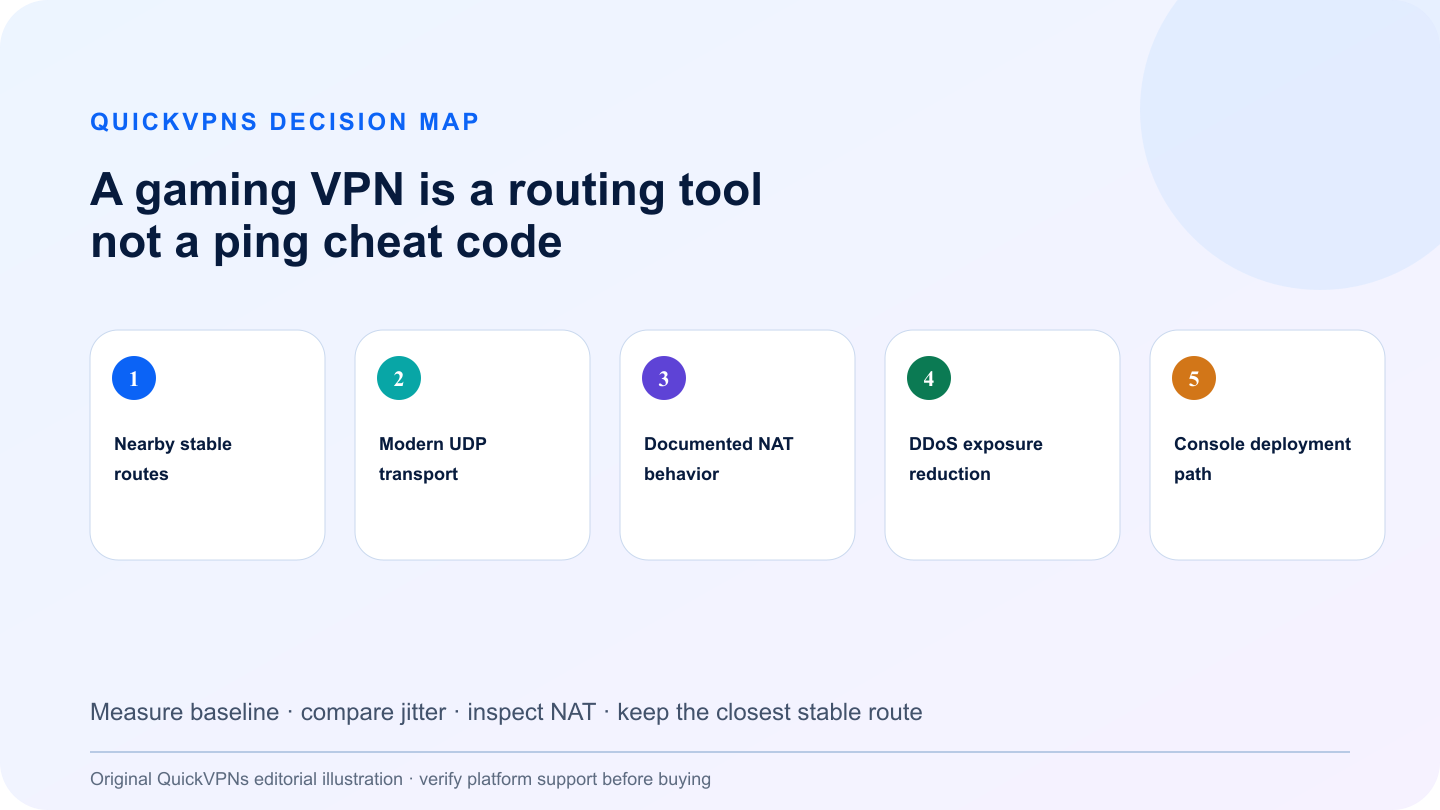
A gaming VPN is a routing tool, not a ping cheat code
Measure baseline · compare jitter · inspect NAT · keep the closest stable route
What matters
How to choose the best VPN for gaming
Five criteria that change real-world behavior—not decorative feature count.
- Nearby stable routes
Choose the closest sensible VPN exit, then compare jitter and packet loss—not just the average ping.
- Modern UDP transport
WireGuard-based protocols usually reduce overhead compared with heavier legacy configurations.
- Documented NAT behavior
A provider should explain whether Moderate NAT or port forwarding is available and on which platforms.
- DDoS exposure reduction
A VPN can hide the home IP from peers, but it cannot stop attacks on a game server or account compromise.
- Console deployment path
Consoles often need a compatible router or shared connection because they do not run ordinary VPN apps.
At a glance
Quick comparison
Provider features are summarized by the problem they solve. Availability can change by platform.
| Criterion | NordVPN | Surfshark | Proton VPN |
|---|---|---|---|
| Routing approach | Fast nearby locations with NordLynx | Nearby WireGuard routes across many devices | WireGuard plus documented UDP/TCP controls |
| NAT tools | No consumer port forwarding | No general inbound port forwarding | Moderate NAT and supported port forwarding |
| Console path | Router or shared connection | Router or shared connection | Router or shared connection |
| Best fit | Low-friction route testing | Gaming households | NAT-specific use cases |
The shortlist
Top best VPN for gaming picks
Three credible choices with different strengths and explicit trade-offs.
Best gaming VPN overall
NordVPN
NordVPN is the easiest all-round service for testing whether a nearby VPN route is more stable than the ISP’s default path.
Use NordLynx and the closest appropriate server as the first comparison. If ping or jitter rises materially, the VPN is not helping that game session—disconnect it. NordVPN does not offer consumer port forwarding, so it is not the right answer for a workflow that requires an inbound port. Console users generally need a router or shared connection.
Strengths
- Modern WireGuard-based protocol
- Broad location choice
- Simple nearby-server baseline
- Router and shared-connection options
Trade-offs
- Cannot promise lower ping
- No port forwarding
- Console setup adds another device layer
Best for NAT and port-forwarding needs
Proton VPN
Proton VPN is the most technically explicit choice when Moderate NAT or supported port forwarding is part of the problem.
Proton documents Moderate NAT, port forwarding and UDP/TCP behavior. Those are meaningful differences for some peer-to-peer games and hosting workflows, but they do not automatically improve matchmaking. Port forwarding is platform- and plan-dependent, and enabling Moderate NAT trades some isolation for connectivity. Use only the feature that addresses a measured problem.
Strengths
- Documented Moderate NAT option
- Supported port forwarding
- Clear UDP and TCP guidance
- Open-source applications
Trade-offs
- Extra routing modes can add latency
- Port forwarding is not universal across platforms
- Ten-device cap
Best value for gaming households
Surfshark
Surfshark is the practical household choice when PCs, handhelds and other devices share one account.
Unlimited connections make it easy to cover a gaming household without moving licenses between devices. Use a nearby WireGuard connection, keep CleanWeb or other optional processing out of the benchmark, and compare the same game region at the same time of day. Surfshark is not a port-forwarding solution.
Strengths
- Unlimited simultaneous connections
- WireGuard support
- Useful for mixed-device households
- Simple location switching
Trade-offs
- No promise of lower latency
- No general inbound port forwarding
- More devices can obscure which route is being tested
Independent lab snapshot
Published gaming-relevant speed and latency results
Comparable third-party measurements are more useful than an empty worksheet, but they are still a snapshot—not a promise for your route.
Tom’s Guide’s current comparison table reports the results below from its controlled lab testing. The outlet tests a no-VPN baseline first, uses the nearest server and fastest available protocol, repeats each speed test five times and reports the median. Source pages and methodology were checked on September 26, 2026.
| Provider | US–US download | US–UK download | Nearby latency | Long-distance latency |
|---|---|---|---|---|
| NordVPN | 1,249 Mbps | 688 Mbps | 48 ms | 57 ms |
| Surfshark | 1,021 Mbps | 935 Mbps | 46 ms | 120 ms |
| Proton VPN | 1,475 Mbps | 1,548 Mbps | 37 ms | 111 ms |
QuickVPNs did not run these measurements. They are attributed results from Tom’s Guide, gathered on its network and hardware. Your ISP, distance, game server, congestion, device and protocol can reverse the order, so test the final choice during its refund window.
Console, NAT and DDoS decision matrix
| Problem | What a VPN can do | What it cannot do | First test |
|---|---|---|---|
| Console has no VPN app | Protect it through a compatible router or a shared PC connection | Remove router CPU and extra Wi-Fi overhead | Compare wired baseline with the router tunnel |
| Strict NAT or failed hosting | Change the egress NAT; Proton documents Moderate NAT and supported port forwarding | Guarantee an open NAT for every game or platform | Check the game requirement before enabling a broader NAT mode |
| Peer-exposed home IP | Replace the visible home IP with a VPN exit address | Protect the game server or a compromised account | Confirm the public IP changes before joining the session |
| High ping or rubber-banding | Sometimes bypass a poor ISP route | Beat physical distance or guarantee lower latency | Repeat the same game action at the problem hour |
Practical workflow
Run a 10-minute gaming VPN benchmark before you keep it
Follow the sequence and stop when the setup solves the measured problem.
- Pick one game, one regional game server and a quiet ten-minute window. Record median ping, worst ping, visible packet loss and any rubber-banding without the VPN.
- Connect with the provider’s modern UDP or WireGuard-based protocol to the nearest suitable VPN location. Repeat the same game action and region. Do not compare different matches in different regions.
- Keep the VPN only if the route is measurably better or solves a separate problem such as home-IP exposure. A small average-ping improvement with much worse jitter is not a win.
- Test again during the busy hour when the original problem occurs. A route that looks excellent at noon may not fix evening congestion.
- For consoles, benchmark the router or shared-connection setup separately. The extra Wi-Fi hop and router CPU can matter more than the VPN protocol.
Read our VPN guides hub, then review how VPN routing works and how to choose a VPN. Browse the related streaming access guides for adjacent setup help.
Know the boundary
What a consumer VPN will not fix
A consumer VPN changes the route between your device and a provider-controlled server. It does not remove malware, repair a compromised account, replace software updates or make unsafe behavior harmless. Keep multi-factor authentication, device encryption and current operating-system patches enabled.
If your actual need is access to company files, internal applications or administrator tools, use the employer-provided business VPN and follow the organization’s security policy. A personal subscription is not a substitute for managed access.
Do not buy from a claim that depends on a guaranteed result the provider cannot control. Network conditions, platform behavior and third-party services change. Use the repeatable checks above during the refund window and keep the service only when it solves the specific problem you measured.
Review our VPN selection guide before paying for a long plan.
Practical answers
Best VPN for Gaming: Ping, NAT and Stability FAQ
What is the best VPN for gaming?
NordVPN is the best all-round option for simple route testing. Proton VPN is better for documented NAT or port-forwarding needs, while Surfshark suits gaming households with many devices.
Will a VPN lower my ping?
Not reliably. A VPN adds a hop and often increases latency. It can improve a poor ISP route in some cases, so compare ping, jitter and packet loss before and after.
Can a VPN protect against DDoS attacks in games?
It can hide your home IP from peers and absorb attacks aimed at the VPN address. It cannot protect a game server, prevent account attacks or fix every peer-to-peer exposure.
Do I need port forwarding for gaming?
Most players do not. It matters for some hosting and peer-to-peer workflows. Check the game’s actual requirement before choosing a provider around this feature.
How we selected
Methodology and evidence
QuickVPNs compared documented platform behavior, installation paths, failure controls and the provider evidence that changes this specific use case. We weighted operational fit above feature count and excluded claims we could not connect to current official documentation.
These are editorial recommendations, not provider-bought placements. We did not claim laboratory performance without a reproducible test. Platform support and app behavior change, so this guide is scheduled for review and the latest provider documentation remains the source of truth.